Video-Floor ad
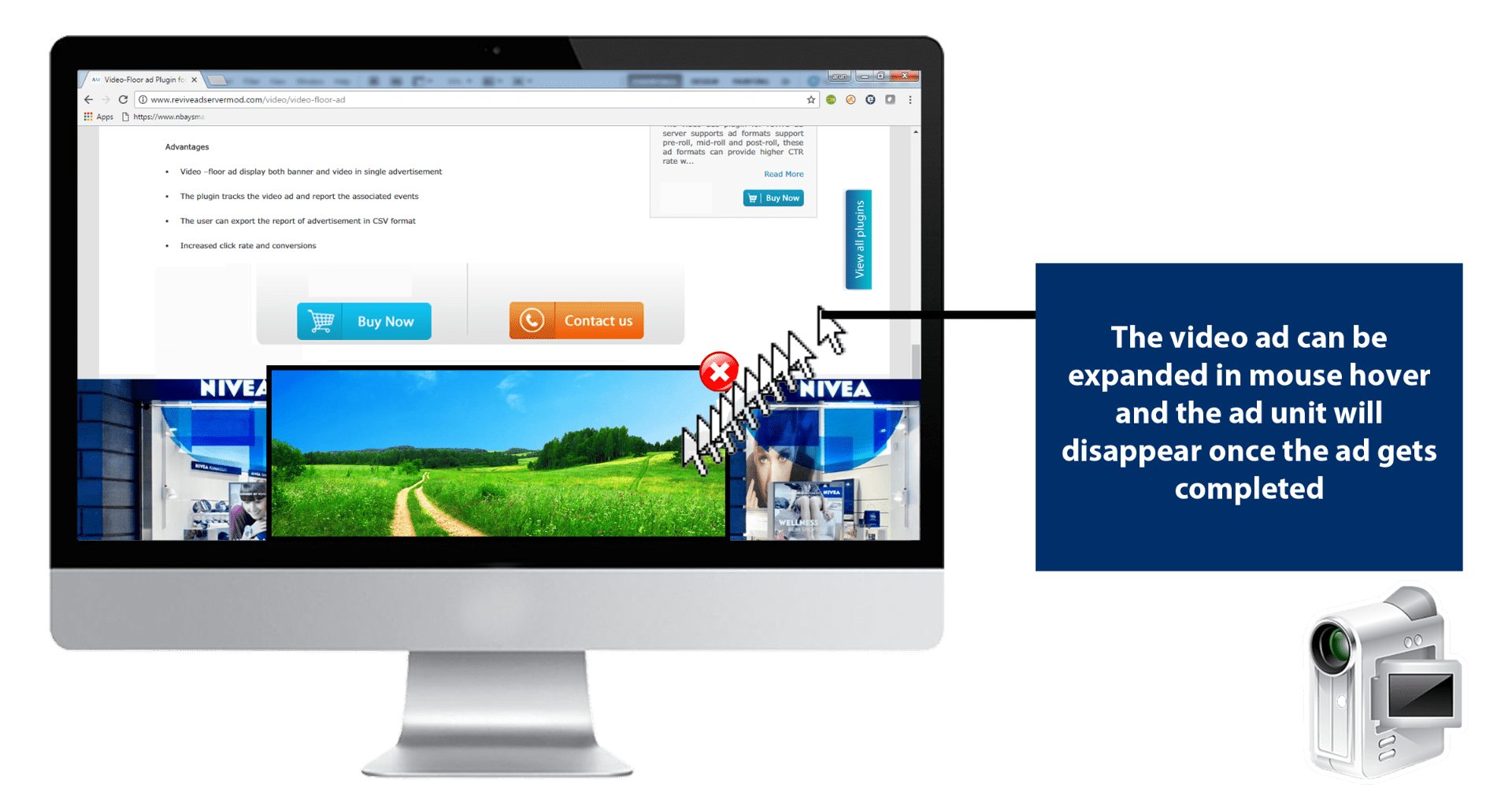
The Video-Floor ad plugin serves a video ad in a floor unit that stays fixed at the bottom of the browser while visitors scroll. It combines a banner and a video in one placement with a visible close control.
What it does
- The unit stays in view during scrolling, so the message is not lost as the visitor moves down the page.
- Hovering expands the video, the collapsed and expanded panels both show a close button, and the unit disappears once the ad completes, which keeps the visitor in control.
- Tracked events include start, 25%, 50%, 75% and 100% complete, create view, accept invitation, collapse and expand, so you can see how far viewers engaged.
- A video report with those events is generated and can be exported to CSV for client reporting.
How it fits your ad stack
It works like a rich media floor ad but plays video, and the description states VAST 2.0 and VAST 3.0 support. VAST 4.x is the current line, and SIMID is the IAB Tech Lab interface that replaces the deprecated VPAID for interactive video. Persistent floor units are also worth checking against the Coalition for Better Ads standards.
Full feature details
The Video-floor ad plugin for Revive Ad server works similar to rich media floor ad but allows displaying a video.
The floor ad is a fixed adhesion ad unit that floats at the bottom of the browser and remain persistently in the visitor view even when they scroll the webpage. The plugin would display a banner with the video ad at the bottom of the page. The video ad can be expanded by hover over the mouse pointer. The ad unit disappears once the ad is completed.
Video close button is clearly visible on the collapsed and expanded panel of the ad unit.
The tracking events include
- Start
- 25% complete
- 50% complete
- 75% complete
- 100% complete
- Create view
- Accept invitation
- Collapse
- Expand etc.
The plugin generates a report for the video advertisement along with the tracking events. The user can then export the generated report in CSV format.
Benefits
- The Video ad follows VAST 2.0 and VAST3.0 standards.
- Video floor ad display both banner and video in a single advertisement
- The plugin tracks the video ad and report the associated events
- The user can export the report of advertisement in CSV format
- Increased click rate and conversions
Frequently Asked Questions
Included with every plugin
- Installation and setup help. We help you install the plugin on your Revive Adserver and confirm that it is working.
- 3 weeks of free support from the day of delivery, covering installation, configuration and any bug in the plugin.
- Your Revive Adserver version. Choose your version in the Product Versions drop-down on this page.
- Licenses to fit your setup. Choose Single Domain, Multi Domain or Source Code in the License drop-down.
Need changes made for your setup? Custom work and consulting are available. Contact us with your requirements.
Common questions
Which Revive Adserver versions does this plugin support?
The supported versions are listed in the Product Versions drop-down on this page. If you run a version that is not listed, contact us before ordering.
What does the free support cover?
For 3 weeks from delivery we help with installation, configuration and any bug in the plugin. Custom development and problems caused by other plugins or your hosting are not part of the free support, but we can quote them separately.
Can you adapt the plugin to my setup?
Yes. Custom work is available. Tell us what you need and we will quote it.