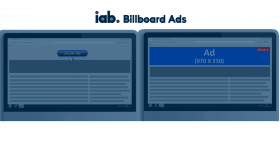
IAB Floor Ads

The IAB Floor Ads plugin places an ad along the bottom of the page and expands it when the visitor interacts. Publishers on Revive Adserver get a persistent bottom placement that leaves the reading area free.
What it does
- The ad sits at the bottom of the page, so readers can follow the content without being blocked.
- It is described as suitable for CPM, CPC and CPA deals, so the same placement can be sold on different pricing models.
- A mouse-over panel offers options for video and image banners, and the publisher can set the image at the center of the screen.
- The description presents it as useful for both the publisher and the advertiser.
How it fits your ad stack
- An invocation code is supplied so the publisher can serve floor ads on the site, and both IAB standard sizes and custom sizes are supported.
- Listed creative formats are png, jpg and mp4.
- Because floor placements stay on screen while people browse, teams often pair them with the MRC display viewability definition and review the experience against the Better Ads Standards.
Full feature details
The IAB floor ads plugin for revive ad server is used to display the ads in the bottom of the web page and expands when the user interacts with the ads. The plugin provides a mouse over panel which has many options for video/image banners; using it the publisher can set the image at the center of the screen.
The plugin supports both IAB standard sizes and custom sizes and it is suitable for CPM, CPC, and CPA. The ad formats supported by this plugin are png, jpg, swf, jpg, and mp4. The plugin provides an invocation code to the user using it the publisher can serve floor ads in the website.
Benefits of this plugin
- The ads will be placed in the bottom of the web page so the end user can read the web content without any annoyance.
- The plugin is very beneficial for both publisher and advertiser.
Frequently Asked Questions
Included with every plugin
- Installation and setup help. We help you install the plugin on your Revive Adserver and confirm that it is working.
- 3 weeks of free support from the day of delivery, covering installation, configuration and any bug in the plugin.
- Your Revive Adserver version. Choose your version in the Product Versions drop-down on this page.
- Licenses to fit your setup. Choose Single Domain, Multi Domain or Source Code in the License drop-down.
Need changes made for your setup? Custom work and consulting are available. Contact us with your requirements.
Common questions
Which Revive Adserver versions does this plugin support?
The supported versions are listed in the Product Versions drop-down on this page. If you run a version that is not listed, contact us before ordering.
What does the free support cover?
For 3 weeks from delivery we help with installation, configuration and any bug in the plugin. Custom development and problems caused by other plugins or your hosting are not part of the free support, but we can quote them separately.
Can you adapt the plugin to my setup?
Yes. Custom work is available. Tell us what you need and we will quote it.