Third Party Tracker for Publisher
Third Party Tracker for Publisher lets a publisher measure the conversion rate of ads shown on their website by adding tracker code. Publishers learn which advertisements convert for their own audience and can choose brands to match.
What it does
- The publisher sees the conversion rate for the advertisements displayed, which shows what the audience responds to.
- That insight supports choosing suitable brand advertisements for visitors and growing site traffic.
- Counts are recorded automatically once the tracker code is in place, so there is no manual counting.
How it fits your ad stack
It runs as a publisher-side plugin in Revive Adserver and is switched on when the publisher supplies the tracker code. Conversion counts depend on the tracker firing correctly, so it is a measurement matter as much as a delivery one, and teams that audit traffic quality often use the MRC split between General Invalid Traffic (GIVT) and Sophisticated Invalid Traffic (SIVT).
Full feature details
Third party tracker for publisher plugin for revive adserver allows the publisher to track the conversion percentage of the website. By tracking the conversion count, the publisher can find the audience interest and display the suitable brand advertisements to the visitors.
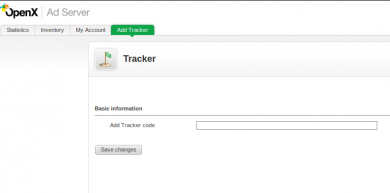
The plugin will be beneficial for the user to find the traffic rate of the website and increase the website visitors. To enable conversion tracking, the publisher has to provide the tracker code to activate the plugin for finding the conversion counts occurred in the website.
The plugin will record the counts automatically without the manual interference.
Benefits of the plugin
- The publisher can find the conversion rate for the displayed advertisements in the website.
- The user can improve in ad publishing and increase website traffic.
Frequently Asked Questions
Included with every plugin
- Installation and setup help. We help you install the plugin on your Revive Adserver and confirm that it is working.
- 3 weeks of free support from the day of delivery, covering installation, configuration and any bug in the plugin.
- Your Revive Adserver version. Choose your version in the Product Versions drop-down on this page.
- Licenses to fit your setup. Choose Single Domain, Multi Domain or Source Code in the License drop-down.
Need changes made for your setup? Custom work and consulting are available. Contact us with your requirements.
Common questions
Which Revive Adserver versions does this plugin support?
The supported versions are listed in the Product Versions drop-down on this page. If you run a version that is not listed, contact us before ordering.
What does the free support cover?
For 3 weeks from delivery we help with installation, configuration and any bug in the plugin. Custom development and problems caused by other plugins or your hosting are not part of the free support, but we can quote them separately.
Can you adapt the plugin to my setup?
Yes. Custom work is available. Tell us what you need and we will quote it.