Password Retrieval for users
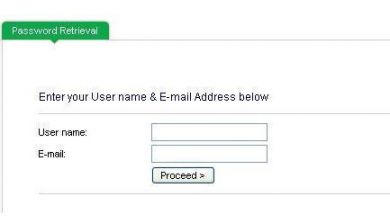
Password Retrieval for Users adds a Forgot Password link to the Revive Adserver login page. Users enter their username and account email, and the password is sent to that address.
What it does
- Users recover access themselves, so locked-out clients do not have to wait for an admin.
- Both the username or login ID and the account email are checked before anything is sent, so the password only goes to the address on the account.
- Retrieval is described as taking a few minutes, which keeps clients working without a support ticket.
- Admins no longer spend time resetting passwords and passing them on by hand.
How it fits your ad stack
The plugin installs into Revive Adserver and the Forgot Password link appears on the standard login page.
Full feature details
The password retrieval for users plug-in can be used by users to retrieve their passwords when they missed. The plug-in for revive ad server will get two main inputs to retrieve the password they are user or login id and email. Once the required details have been entered it will verify the credentials and send the password to the particular mail id. Users can get their password to access the account without any hurdles.
How to use the tool
- Install the Module in your revive Adserver and you will get the Forget Password link in login page.
- Username and the Email associated with account have to be entered.
- If Username and email validation will be done and the password will be emailed to the associated email address.
Benefits of this plug-in
- Password retrieval by clients in few minutes.
- Avoids the help or Time of admin to reset the password and send to Users through this self management system.
Frequently Asked Questions
Included with every plugin
- Installation and setup help. We help you install the plugin on your Revive Adserver and confirm that it is working.
- 3 weeks of free support from the day of delivery, covering installation, configuration and any bug in the plugin.
- Your Revive Adserver version. Choose your version in the Product Versions drop-down on this page.
- Licenses to fit your setup. Choose Single Domain, Multi Domain or Source Code in the License drop-down.
Need changes made for your setup? Custom work and consulting are available. Contact us with your requirements.
Common questions
Which Revive Adserver versions does this plugin support?
The supported versions are listed in the Product Versions drop-down on this page. If you run a version that is not listed, contact us before ordering.
What does the free support cover?
For 3 weeks from delivery we help with installation, configuration and any bug in the plugin. Custom development and problems caused by other plugins or your hosting are not part of the free support, but we can quote them separately.
Can you adapt the plugin to my setup?
Yes. Custom work is available. Tell us what you need and we will quote it.