Dashboard Ads
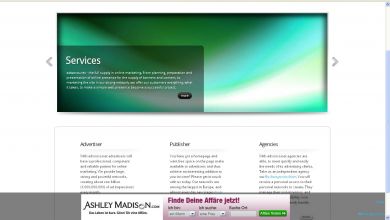
The Dashboard Ads plugin shows an ad strip along the bottom of the browser that stays in place while the page scrolls. Publishers on Revive Adserver get a persistent bottom placement that does not flicker or blink.
What it does
- The ad does not flicker or blink, so readers can go through the page without distraction.
- A close button lets visitors dismiss the strip whenever they like.
- The strip is nearly as wide as the browser and as tall as the banner, and the administrator can set its color to match the banner so the unit looks tidy.
- It operates independently, so it can run together with other ad zones on the same page.
How it fits your ad stack
The strip sticks to the screen as the page scrolls. Accepted sizes, file formats and whether an invocation code is used are not described, so confirm those before setup. A strip that stays on screen the whole time is usually weighed against the Better Ads Standards on user experience and the MRC display viewability definition.
Full feature details
The dashboard ads plugin for revive ad server will display the ads in the bottom of the screen and it will stick to the screen when the web page is scrolled. The ads will not flicker or blink in the web page so the user can read the web content without any annoyance.
When the user wants to remove the ad from the screen, they can click close button enabled in the advertisement. The width of the ad strip is nearly equal to the width of the web browser and the height will be equal to the size of the ad banner.
The administrator can customize the strip color based on the color of the ad banner for example, if the ad banner is in white color, the admin can choose white as its strip color.
Benefits of the plugin
- The advertiser can attract more audience with the help of this ad.
- Simple and easy to use.
Frequently Asked Questions
Included with every plugin
- Installation and setup help. We help you install the plugin on your Revive Adserver and confirm that it is working.
- 3 weeks of free support from the day of delivery, covering installation, configuration and any bug in the plugin.
- Your Revive Adserver version. Choose your version in the Product Versions drop-down on this page.
- Licenses to fit your setup. Choose Single Domain, Multi Domain or Source Code in the License drop-down.
Need changes made for your setup? Custom work and consulting are available. Contact us with your requirements.
Common questions
Which Revive Adserver versions does this plugin support?
The supported versions are listed in the Product Versions drop-down on this page. If you run a version that is not listed, contact us before ordering.
What does the free support cover?
For 3 weeks from delivery we help with installation, configuration and any bug in the plugin. Custom development and problems caused by other plugins or your hosting are not part of the free support, but we can quote them separately.
Can you adapt the plugin to my setup?
Yes. Custom work is available. Tell us what you need and we will quote it.