Website Retargeting
Website Retargeting stores a cookie in the browser of a visitor who clicked an advertiser's ad or converted, then shows that advertiser's ad again on the websites you list. It is for advertisers who want those visitors back.
What it does
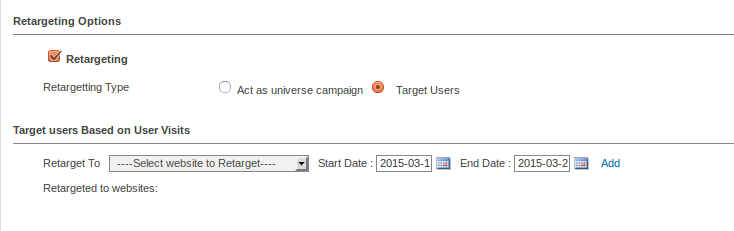
- A cookie is left after a click or conversion, so the same advertiser's ad follows that visitor to the sites you choose, aiming for a better conversion rate.
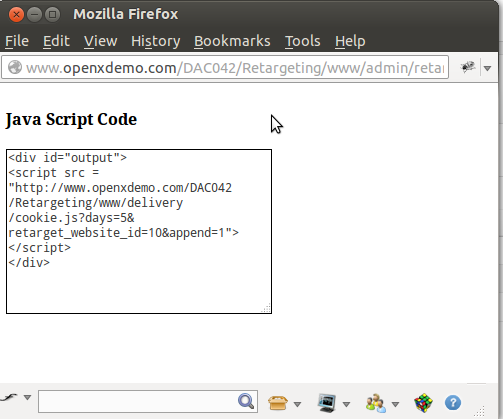
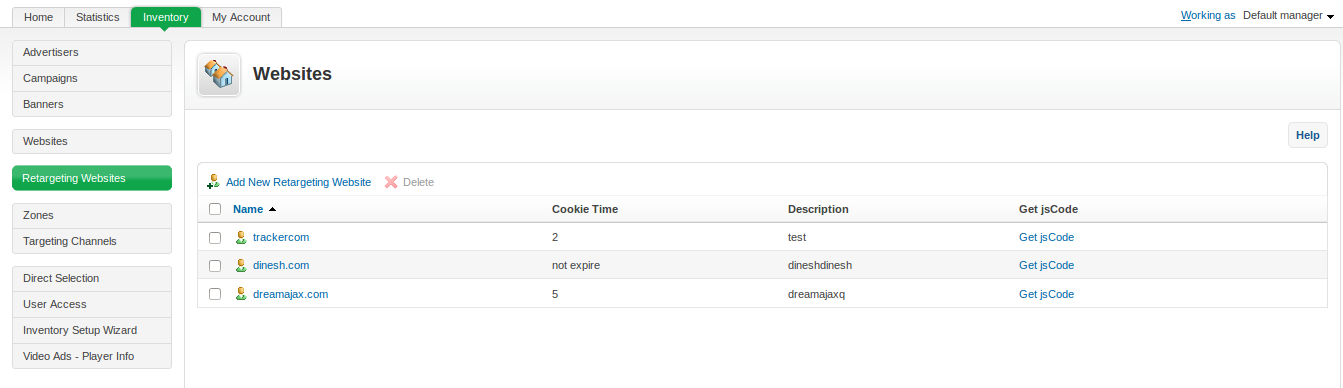
- You create a list of target websites and the plugin generates the JS code for each one, which saves hand-writing code per site.
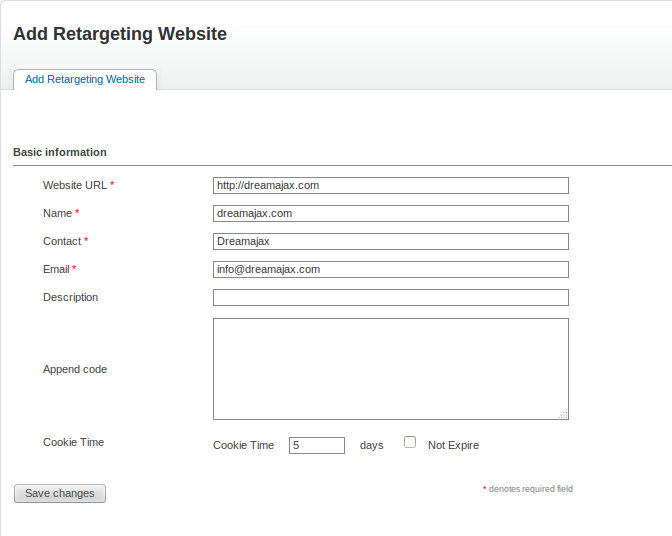
- Cookie lifetime is set by you, or you can pick the option that keeps it until the visitor deletes it, so the length of the retargeting window is your decision.
- Statistical reports include how often an ad was shown to a particular visitor, which lets you spot over-exposure.
How it fits your ad stack
Setup happens in Revive Adserver: you list the target websites and place the generated JS code. Because retargeting depends on cookies, consent handling matters. GDPR and CCPA/CPRA are the laws most often referenced by ad tech consent tools, and the IAB Europe Transparency and Consent Framework is one mechanism teams use to carry consent signals, so confirm your approach for your audience.
Full feature details
Website retargeting plugin for revive adserver is used to track the visitors who have clicked or generated conversion for the advertiser’s ads. When a customer visits the advertiser website by clicking the advertisement or generated CPC, the plugin will leave a cookie on visitor browser.
This cookie will display the same advertisement in the websites browsed by the particular customer. To enable the retargeting process, the user has to create a list of the targeting websites and the plugin will generate the JS code for all the required websites.The JS code is used to retarget the visitors with the same ad of the particular advertiser.
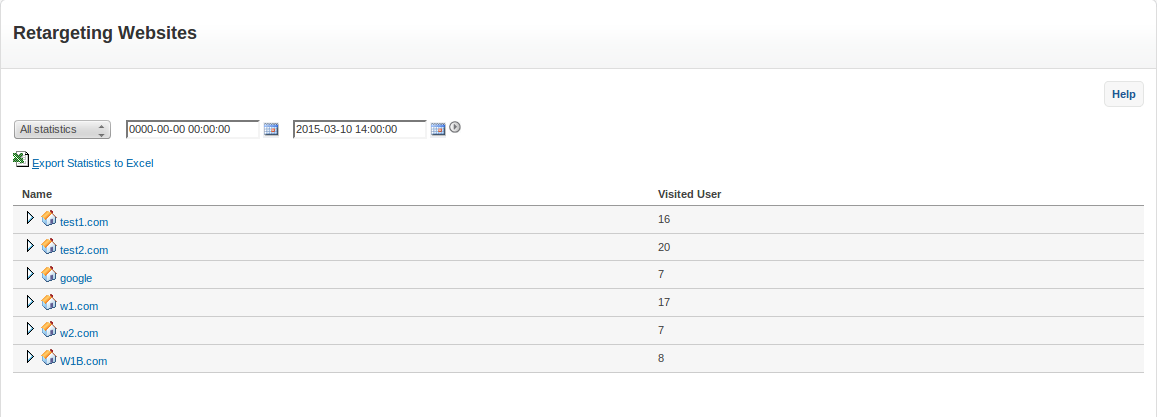
The plugin also provides statistical reports for the advertisement and it includes the frequency of the ad published to the particular visitor.
The plugin allows the user to provide cookie expiration time for the advertisements and when the time limit has exceeded, the cookie will get expired from the visitor browser. The user can also choose ‘not to expire’ option to display the ads until the visitor deletes the cookie manually.
Benefits of the plugin
- The advertisers can target the customers and generate better conversion rate.
- The plugin generates JS code for all the targeting websites listed by the user.
- Frequencies of the ad displayed to the visitors are maintained in the statistical report.
Frequently Asked Questions
Included with every plugin
- Installation and setup help. We help you install the plugin on your Revive Adserver and confirm that it is working.
- 3 weeks of free support from the day of delivery, covering installation, configuration and any bug in the plugin.
- Your Revive Adserver version. Choose your version in the Product Versions drop-down on this page.
- Licenses to fit your setup. Choose Single Domain, Multi Domain or Source Code in the License drop-down.
Need changes made for your setup? Custom work and consulting are available. Contact us with your requirements.
Common questions
Which Revive Adserver versions does this plugin support?
The supported versions are listed in the Product Versions drop-down on this page. If you run a version that is not listed, contact us before ordering.
What does the free support cover?
For 3 weeks from delivery we help with installation, configuration and any bug in the plugin. Custom development and problems caused by other plugins or your hosting are not part of the free support, but we can quote them separately.
Can you adapt the plugin to my setup?
Yes. Custom work is available. Tell us what you need and we will quote it.