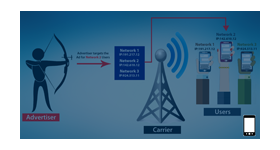
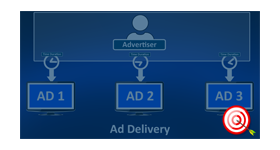
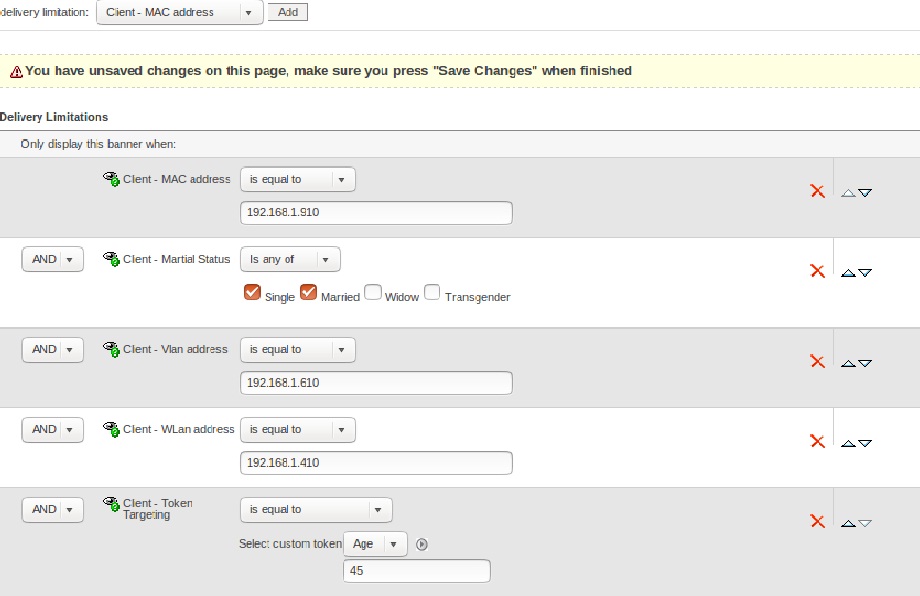
The network and custom token targeting plugin for revive ad server is used to deliver the advertisements to customers with specific network metrics, marital status, and custom token values.
The network and custom token targeting plugin for revive ad server is used to deliver the advertisements to customers with specific network metrics, marital status, and custom token values.
Network Metrics: By targeting network metrics, the user can deliver the banner with specific WLAN, VLAN, and Mac address parameters.
Marital Status: The marital status targeting will deliver the ads to the customers based upon their relationship status. The targeted marital parameters are single, widow, married, divorce and transgender.
Custom token: By targeting custom token, the admin of revive ad server can handle the user parameters like gender, age, height, weight etc. The admin can add, edit, or update the token if required.
For example: If the advertiser has to deliver the ad to the customer with the age of 45. The user can specify the token as age=45 and based upon the specified value the ad will be displayed to the right customer. Similarly, the advertiser can target customers with different token values and this type of targeting works similar to demographic targeting. The token targeting parameter should be specified in banner delivery settings of revive ad server.
Frequently Asked Questions
What does the Network and Custom Token Targeting plugin enable in Revive Adserver?
+
The plugin enables ad delivery decisions based on network-specific parameters and custom token values passed with ad requests. This allows publishers to serve highly targeted advertisements using contextual information and network-level data.
What are custom tokens and how are they used for ad targeting?
+
Custom tokens are user-defined key-value pairs passed through the Revive Adserver invocation tag. These tokens can contain information such as content categories, user segments, page identifiers, or other contextual data that can be used to match and deliver relevant advertisements.
How is network-level targeting different from standard Revive Adserver targeting options?
+
Standard targeting options focus on attributes such as location, language, browser, and domain. Network-level targeting extends these capabilities by allowing campaigns to target based on network-specific information, publisher network identifiers, or other request-level parameters not covered by default targeting settings.
Can multiple custom tokens be passed in a single ad request for combined targeting?
+
Yes. Multiple custom tokens can be included within a single ad request, enabling complex targeting scenarios. Campaigns can be configured to deliver ads only when specific combinations of token values are present, providing highly granular audience segmentation.
Is this plugin suitable for publishers who need to pass first-party data into their ad targeting?
+
Yes. Publishers can pass first-party audience and content data through custom tokens, enabling advanced audience targeting and contextual advertising within Revive Adserver. This approach supports privacy-focused targeting strategies without depending on third-party data providers.