Third Party Video Ads
Third Party Video Ads lets internal advertisers create third party video ads in Revive Adserver and deliver them as pre-roll, mid-roll or post-roll on websites. It works with the vJAX video ads plugin and plays ads in JW Player.
What it does
- Pre-roll, mid-roll and post-roll formats let you place third party video before, inside or after the content video.
- An invocation code is generated for the video ads, so publishers get a tag to place instead of building one.
- VAST 2.0 video ads are supported, which keeps the ads readable by compatible players.
- Inline video ads reach site visitors directly on the publisher's pages.
How it fits your ad stack
It runs together with the vJAX video ads plugin, and delivered ads play in JW Player. VAST is the IAB Tech Lab standard that tells a player which ad to play, and VMAP describes ad breaks such as pre-roll, mid-roll and post-roll, so buyers of third party video often ask how these are handled.
Full feature details
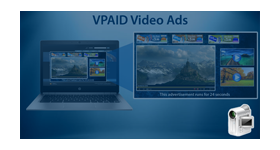
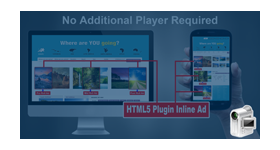
Third Party Video Ads plugin for revive ad server includes pre-roll, mid-roll and post roll video ad formats. The plugin allows the internal advertisers to create third party video advertisements in revive ad server and deliver the inline video advertisements in the websites.
The third party video ads plugin provides support to the users along with the vJAX video ads plugin The plugin supports VAST 2.0 and generate the innovation code for the video ads. The delivered video advertisements will be played in JW player.
Types of third party video ads
The plugin allows the users to deliver the following video advertisements.
Pre-Roll - It deliver the advertisement before the actual video content. The duration of the advertisement is thirty seconds.
Mid Roll - It delivers the ad in between the video content.
Post Roll – It delivers the video advertisement at the end of the original video.
Benefits of the plugin
- It supports VAST 2.0 video ad format.
- The plugin generates the invocation code for the video advertisements.
- The users can reach the visitors easily.
Frequently Asked Questions
Included with every plugin
- Installation and setup help. We help you install the plugin on your Revive Adserver and confirm that it is working.
- 3 weeks of free support from the day of delivery, covering installation, configuration and any bug in the plugin.
- Your Revive Adserver version. Choose your version in the Product Versions drop-down on this page.
- Licenses to fit your setup. Choose Single Domain, Multi Domain or Source Code in the License drop-down.
Need changes made for your setup? Custom work and consulting are available. Contact us with your requirements.
Common questions
Which Revive Adserver versions does this plugin support?
The supported versions are listed in the Product Versions drop-down on this page. If you run a version that is not listed, contact us before ordering.
What does the free support cover?
For 3 weeks from delivery we help with installation, configuration and any bug in the plugin. Custom development and problems caused by other plugins or your hosting are not part of the free support, but we can quote them separately.
Can you adapt the plugin to my setup?
Yes. Custom work is available. Tell us what you need and we will quote it.