HTML5 Banners
The HTML5 Banners plugin lets you add HTML5 banners to Revive Adserver from a ZIP upload and deliver them to publisher sites through zones. It gives teams rich media banners for desktop and mobile.
What it does
- Animated and interactive rich media banners run in modern browsers, so creative is not limited to static images.
- Delivery covers desktop and mobile devices from the same banner.
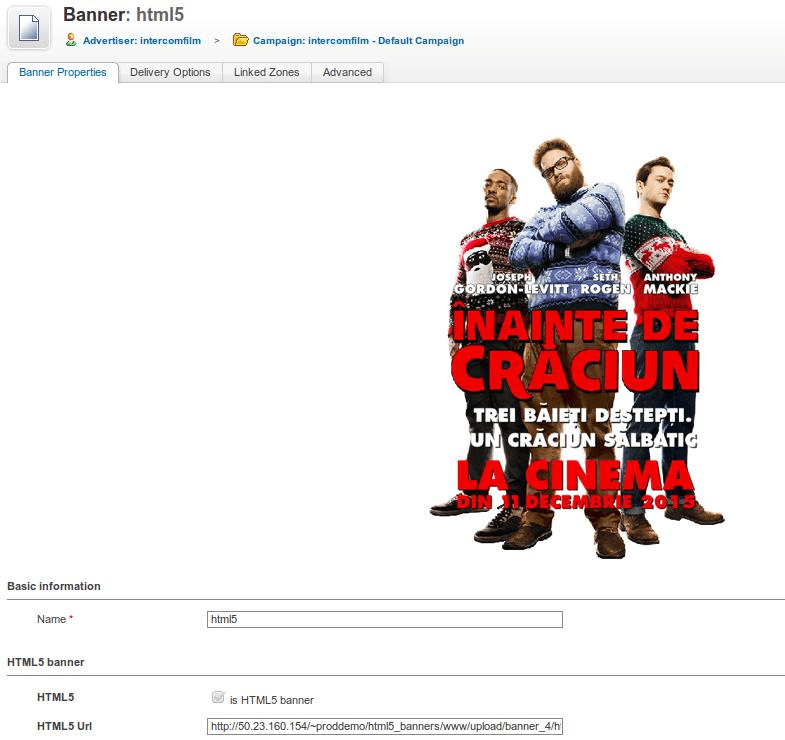
- The banner is added from the banner section as a ZIP file in the same format as the sample HTML5 ZIP file, and its dimensions are set at that step.
- A preview option lets you check the uploaded banner before you finish the setup, which catches errors before they reach a site.
How it fits your ad stack
A manager adds the banner, enters the destination URL and other required details, and once a zone exists in the publisher login the HTML5 ad can be delivered on the website. Banners are usually built to the common IAB sizes such as 300x250, 728x90 and 320x50, and buyers often check viewability against the MRC standard of at least half the pixels in view for one continuous second.
Full feature details
HTML 5 Banner Plugin for revive ad server is built using HTML 5 technology which is currently used by many top websites on the Internet.
When the modern browsers like Google chrome and Firefox had stopped accepting the flash content, the advertisers are not ready to use flash banners to advertise their products. And apart from that, the users have to install Microsoft silver light or adobe flash to access the animated banners.
But these drawbacks are overcome by HTML5 banners because its recent technology of HTML5 language has a cross browser and cross platform support and it helps to build rich media advertisements for the user.
How to access HTML5 banners plugin?
- To access HTML 5 banner in revive ad server, the user has to sign in as manager and choose to add a new banner option in banner section.
- The option will redirect to destination page where the user can add height and size of a banner.
- The HTML5 banner should be uploaded in a ZIP file by following the same format in the sample HTML5 ZIP file.
- Once the banner has been uploaded, enter the destination URL and fill the required details.
- The user can preview the uploaded banner using preview option before ending the process.
- When the zone has been created in publisher login, the HTML 5 ad can be delivered in the website.
Advantages of HTML5 banners
- HTML5 ads support both desktops and mobile devices.
- The plugin enables the user to access beneficial features of HTML 5 in revive ad server.
- HTML5 banners generate better CTR, impressions, and click rates.
- It can create user-interactive and rich media ads for the advertiser.
- Improved ad traffic and audience engagement. It is the right alternative for flash banners.
- The users can advertise multimedia or graphical advertisements using HTML5 banners.
Frequently Asked Questions
Included with every plugin
- Installation and setup help. We help you install the plugin on your Revive Adserver and confirm that it is working.
- 3 weeks of free support from the day of delivery, covering installation, configuration and any bug in the plugin.
- Your Revive Adserver version. Choose your version in the Product Versions drop-down on this page.
- Licenses to fit your setup. Choose Single Domain, Multi Domain or Source Code in the License drop-down.
Need changes made for your setup? Custom work and consulting are available. Contact us with your requirements.
Common questions
Which Revive Adserver versions does this plugin support?
The supported versions are listed in the Product Versions drop-down on this page. If you run a version that is not listed, contact us before ordering.
What does the free support cover?
For 3 weeks from delivery we help with installation, configuration and any bug in the plugin. Custom development and problems caused by other plugins or your hosting are not part of the free support, but we can quote them separately.
Can you adapt the plugin to my setup?
Yes. Custom work is available. Tell us what you need and we will quote it.