Advanced Anti Fraud Click

Advanced Anti Fraud Click blocks fraudulent clicks by IP address and location, and counts only valid clicks. Ad networks, publishers and advertisers get cleaner click reports and fewer disputes over bad traffic.
What it does
- Fraudsters are blocked by IP address and location, which targets repeated clicking from the same sources.
- Fraud statistics, valid click statistics and penalty points for the publisher give the network evidence to act on.
- Reports show country, IP and URL for a chosen time period, so suspicious patterns can be traced.
- Publishers are told by mail when fraud clicks occur, which closes the loop without admin effort.
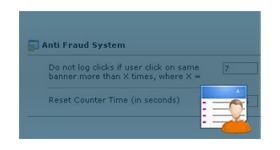
- The advertiser customizes the threshold value and the warning message, so the rule fits each campaign.
How it fits your ad stack
When a visitor clicks beyond the permitted count, those clicks are not counted, but the ad is still displayed and the warning message is shown. The MRC IVT Detection and Filtration Guidelines separate General Invalid Traffic from Sophisticated Invalid Traffic, and a click threshold with IP and location rules addresses repeated clicking, so treat it as one layer in a wider approach. MRC accreditation applies to measurement vendors and services, not to plugins, and TAG runs programs such as Certified Against Fraud.
Full feature details
Click fraud is one of the challenging issues faced in the world of digital advertising.
The fraudulent clicks are performed either by an individual or automated bots intentionally to increase the revenue of publisher and drive up advertiser cost.
Sometimes clicks farms are hired to perform such tasks. Whereas in some cases to eliminate a particular publisher's market a competitor may generate fraud clicks to the ads displayed in a publisher site.
“Fixing this issue will no longer be rocket science!”
The fraudsters are blocked based on the IP address and Location. We can identify the valid clicks from the fraud clicks making advertiser work simpler. Publisher will be informed about the fraud clicks occurrence through mail.
The feature of having Anti Fraud Click plugin for revive adserver will provide a way to access Fraud Statistics, Valid Click Statistics and Penalty point (Publisher). The statistic report of this Revive Adserver Plugin will contain information like country IP, URL for specify time duration. Threshold value and warning messages can be customized by the advertiser.


How this plugin works?
When a visitor clicks the ad more than the number of times he permitted to do, clicks will be not considered and it won’t be taken into account.

Even if the threshold limit has been crossed by the user ads will still be displayed and a warning message will be displayed to the user as customized by the advertiser.
Frequently Asked Questions
Included with every plugin
- Installation and setup help. We help you install the plugin on your Revive Adserver and confirm that it is working.
- 3 weeks of free support from the day of delivery, covering installation, configuration and any bug in the plugin.
- Your Revive Adserver version. Choose your version in the Product Versions drop-down on this page.
- Licenses to fit your setup. Choose Single Domain, Multi Domain or Source Code in the License drop-down.
Need changes made for your setup? Custom work and consulting are available. Contact us with your requirements.
Common questions
Which Revive Adserver versions does this plugin support?
The supported versions are listed in the Product Versions drop-down on this page. If you run a version that is not listed, contact us before ordering.
What does the free support cover?
For 3 weeks from delivery we help with installation, configuration and any bug in the plugin. Custom development and problems caused by other plugins or your hosting are not part of the free support, but we can quote them separately.
Can you adapt the plugin to my setup?
Yes. Custom work is available. Tell us what you need and we will quote it.