Device reporting for display and mobile plugin
This plugin adds device-level reports to Revive Adserver for operating system, browser, device type and mobile brand, so publishers and advertisers can see which devices produce impressions, clicks and conversions.
What it does
- Provides four reports (Operating System, Browser, Device Type and Mobile Brand), which show where results come from and support decisions on targeting, creative and budget.
- Splits display and mobile views: display reports cover operating system and browser, while mobile reports add device type and brand.
- Presents results graphically and lets you export them as an image or xls file, which makes client reporting quicker to assemble.
Impressions, clicks and conversions are tracked together with the device information.
Full feature details
The Device reporting for display and mobile plugin for Revive Adserver generates reports taking into account the
Device • Operating System • Type (display or mobile) • Manufacturer • Browser used
The plug-in tracks the impressions, clicks and conversions along with the device information
For Display
For display, you can track the Operating System and browser with impressions and clicks
For Mobile
For mobile, you can track Operating system, type, brand and browser with impressions and clicks
Reporting
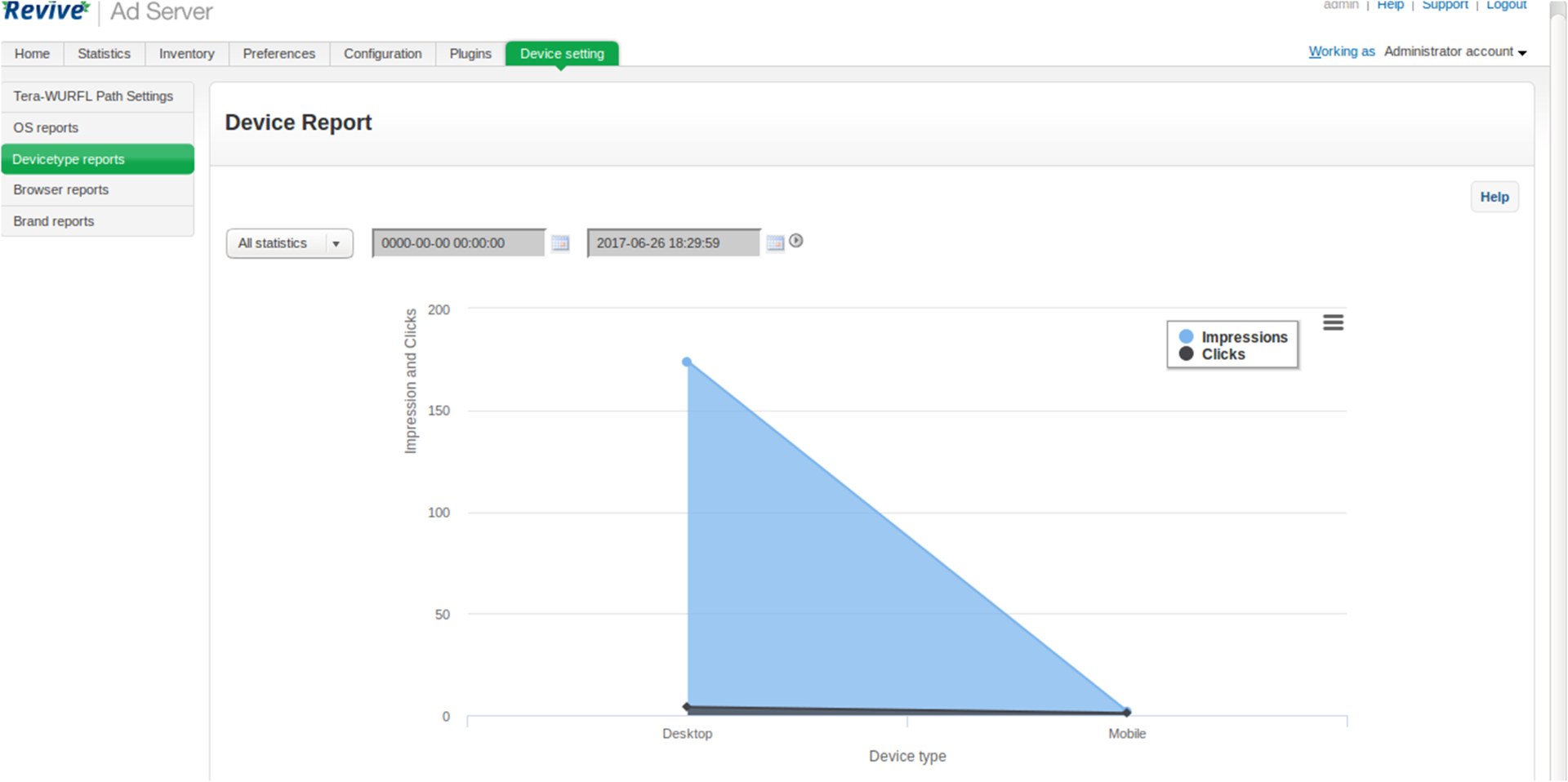
Reporting for Display and Mobile devices is obtained in graphical representation, which can be extracted and converted in the form of an image or xls format.
Here is the list of reports generated
◦ Operating System Report
◦ Browser Report
◦ Device Type Report
◦ Mobile Brand Report
Frequently Asked Questions
Included with every plugin
- Installation and setup help. We help you install the plugin on your Revive Adserver and confirm that it is working.
- 3 weeks of free support from the day of delivery, covering installation, configuration and any bug in the plugin.
- Your Revive Adserver version. Choose your version in the Product Versions drop-down on this page.
- Licenses to fit your setup. Choose Single Domain, Multi Domain or Source Code in the License drop-down.
Need changes made for your setup? Custom work and consulting are available. Contact us with your requirements.
Common questions
Which Revive Adserver versions does this plugin support?
The supported versions are listed in the Product Versions drop-down on this page. If you run a version that is not listed, contact us before ordering.
What does the free support cover?
For 3 weeks from delivery we help with installation, configuration and any bug in the plugin. Custom development and problems caused by other plugins or your hosting are not part of the free support, but we can quote them separately.
Can you adapt the plugin to my setup?
Yes. Custom work is available. Tell us what you need and we will quote it.