HTML5 Audio with Image Ads Plugin for Revive Adserver
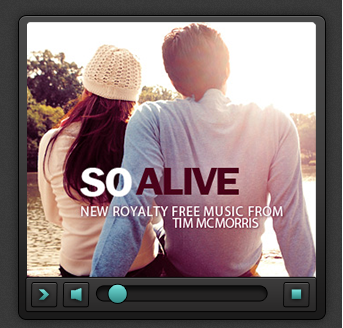
This plugin delivers audio ads accompanied by an image on the publisher's page. The listener controls playback, and impressions and clicks are tracked in Revive Adserver.
What it does
- An audio message is added to an image ad, so the creative can speak as well as show.
- Listeners control play and pause, which keeps the ad from forcing sound on them.
- Normal mode is the default, with autoplay mode available when a campaign calls for it.
- Impressions and clicks are tracked through Revive Adserver's standard reporting.
How it fits your ad stack
Ads are delivered with JavaScript and asynchronous tags, and the plugin adds audio banner and zone types in Revive Adserver. Autoplay with sound is the kind of experience the Coalition for Better Ads Better Ads Standards treat as falling below consumer expectations, so review autoplay mode against them. The description does not say the plugin uses VAST or IAB audio measurement guidelines.
Full feature details
HTML5 audio with image plugin for revive ad server simply delivers the audio ads accompanied with images on the publishers’ page. Impressions and clicks should be tracked. This plugin provide option to select Auto-play mode or normal mode. By default audio in normal mode.
You could make use of the JavaScript and asynchronous tags to deliver these types of banner ads.
The users possess control over the play and pause of the audio advertisement.
Highlights
- Audio accompanied image ads
- Supported on most web browsers
- Mobile compatibility
- Users possess audio control
Frequently Asked Questions
Included with every plugin
- Installation and setup help. We help you install the plugin on your Revive Adserver and confirm that it is working.
- 3 weeks of free support from the day of delivery, covering installation, configuration and any bug in the plugin.
- Your Revive Adserver version. Choose your version in the Product Versions drop-down on this page.
- Licenses to fit your setup. Choose Single Domain, Multi Domain or Source Code in the License drop-down.
Need changes made for your setup? Custom work and consulting are available. Contact us with your requirements.
Common questions
Which Revive Adserver versions does this plugin support?
The supported versions are listed in the Product Versions drop-down on this page. If you run a version that is not listed, contact us before ordering.
What does the free support cover?
For 3 weeks from delivery we help with installation, configuration and any bug in the plugin. Custom development and problems caused by other plugins or your hosting are not part of the free support, but we can quote them separately.
Can you adapt the plugin to my setup?
Yes. Custom work is available. Tell us what you need and we will quote it.