IAB Portrait for Single Banner

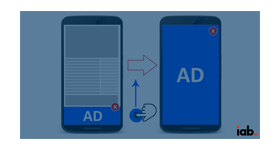
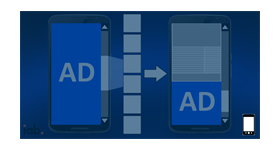
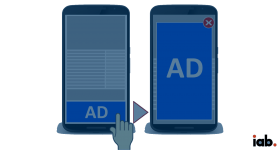
The IAB Portrait for Single Banner plugin shows a banner together with the advertiser's logo and a product description in one tall zone. Publishers and advertisers on Revive Adserver get several linked modules in a single portrait unit.
What it does
- Banner, logo and product description share one zone, so the advertiser presents the brand and the offer together.
- Every module links to a destination URL, so each part of the ad can send the visitor to the advertiser site.
- Two buttons, follow and follow us on, take the viewer to the first module of the ad.
- Extra banners can be added, with space for text provided by the plugin, so a single zone can carry more than one module.
How it fits your ad stack
- The size is fixed at 300x1050, described as the IAB standard portrait size that cannot be changed. Check that size against current IAB listings before you market it that way. If more than one banner is added, the banner dimension should stay 300x250.
- Listed formats are gif, png, jpg and HTML. IAB publishes a set of standard display sizes, for example 300x250 and 160x600.
Full feature details
The ‘IAB portrait for a single banner plugin’ for Revive Adserver displays banners along with the logo and product description in the same zone.
The portrait unit size of the ad is 300x1050 and its size cannot be changed as it follows the IAB standard size.
The plugin provides two buttons called ‘follow’ and ‘follow us on’.
When the user clicks any of these buttons, it will land them in the initial module of the advertisement. All modules in the ads are linked with destination URL and it will redirect the user to the targeted website by clicking on it.
This plugin supports the below listed ad formats
•.gif •.png •.jpg •.swf •HTML ad format
Each module of the ad should have specific size and if user wants to add more than one ad banner, the text module space will be provided by the plugin but, the dimension of the ad banner should remain 300X250.
Benefits
- Serves ads conforming to the IAB standard guidelines
- The plugin can display multiple ad modules in the same zone
- The plugin is beneficial for both advertiser and publisher
Frequently Asked Questions
Included with every plugin
- Installation and setup help. We help you install the plugin on your Revive Adserver and confirm that it is working.
- 3 weeks of free support from the day of delivery, covering installation, configuration and any bug in the plugin.
- Your Revive Adserver version. Choose your version in the Product Versions drop-down on this page.
- Licenses to fit your setup. Choose Single Domain, Multi Domain or Source Code in the License drop-down.
Need changes made for your setup? Custom work and consulting are available. Contact us with your requirements.
Common questions
Which Revive Adserver versions does this plugin support?
The supported versions are listed in the Product Versions drop-down on this page. If you run a version that is not listed, contact us before ordering.
What does the free support cover?
For 3 weeks from delivery we help with installation, configuration and any bug in the plugin. Custom development and problems caused by other plugins or your hosting are not part of the free support, but we can quote them separately.
Can you adapt the plugin to my setup?
Yes. Custom work is available. Tell us what you need and we will quote it.