Geo Database Installation
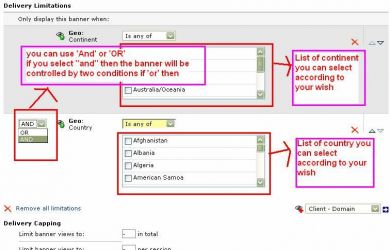
Geo Database Installation enables geo-targeting in Revive Adserver so ads can be delivered to chosen countries. It depends on a MaxMind database that you purchase separately.
What it does
- Ads can be delivered to a specific country, for example when an advertiser wants to reach customers in one region.
- Targeting by country is aimed at attracting a wider audience and lifting impressions and clicks.
- A functionality test can be run when the plugin is installed, so you know the targeting works before campaigns depend on it.
How it fits your ad stack
- Requires a MaxMind database, bought by the user from MaxMind.
- Geo-targeting is enabled in the ad server once both the database and the plugin are installed.
Full feature details
Geo database installation plugin for revive ad server is used to deliver the advertisement in the targeted countries. For example, if the advertiser has to attract the customers of America, the plugin will display the advertisement in the specific region and attract the visitors.
To enable the Geo-targeting in the user targeted country, the plugin requires Maxmind database. This database will provide a Geo-targeting facility in the specific country and the advertisement will deliver according to the targeting needs.
The database should be purchased by the user from Maxmind and we can install the server in the revive ad server and test for its functionality at the time of plugin installation. When the database along with the plugin is installed, the Geo-targeting functionality will be enabled in the revive ad server.
Benefits of the plugin
- The advertiser can attract global audience and increase their revenue.
- The plugin can increase the count of impressions and clicks.
Frequently Asked Questions
Included with every plugin
- Installation and setup help. We help you install the plugin on your Revive Adserver and confirm that it is working.
- 3 weeks of free support from the day of delivery, covering installation, configuration and any bug in the plugin.
- Your Revive Adserver version. Choose your version in the Product Versions drop-down on this page.
- Licenses to fit your setup. Choose Single Domain, Multi Domain or Source Code in the License drop-down.
Need changes made for your setup? Custom work and consulting are available. Contact us with your requirements.
Common questions
Which Revive Adserver versions does this plugin support?
The supported versions are listed in the Product Versions drop-down on this page. If you run a version that is not listed, contact us before ordering.
What does the free support cover?
For 3 weeks from delivery we help with installation, configuration and any bug in the plugin. Custom development and problems caused by other plugins or your hosting are not part of the free support, but we can quote them separately.
Can you adapt the plugin to my setup?
Yes. Custom work is available. Tell us what you need and we will quote it.