AMP Ad tag plugin

This plugin generates an ad tag that lets Revive Adserver deliver ads on Accelerated Mobile Pages: the publisher adds a slot to the AMP page and the plugin serves a relevant creative into it. Publishers with AMP traffic can keep earning from those pages.
What it does
- Provides the AMP Tag as the supported invocation tag, so AMP pages get a tag type made for them.
- Sends an ad request when the AMP page loads and returns the ad into the slot, so the page keeps its fast, light structure.
- Serves image, text, HTML and HTML5 banners through AMP, which keeps the usual creative types available.
- Describes AMP iframe handling for content that does not otherwise validate in AMP, which matters when a creative needs outside code.
How it fits your ad stack
The slot sits in the AMP page the publisher controls, and Revive Adserver supplies the ad through the generated tag. AMP pages require ads in the AMPHTML ad format, and the AMP project is open source with the aim of improving speed and readability of mobile pages. Teams delivering ads on AMP typically also check viewability against the MRC viewable impression standard for display.
Full feature details
AMP Ad tag plugin for Revive Adserver help deliver highly engaging, malware-free, and faster loading ads on mobile device web pages.
AMP being in short for Accelerated Mobile Pages, an open source initiative aimed at helping publishers improve speed and readability of their mobile optimized content pages. With the rise in smartphone users, most publisher site receives traffic equally from desktop and mobile device users. This has led to the adaption AMP based web page standards.
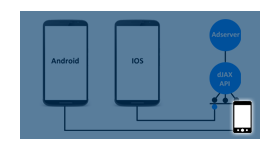
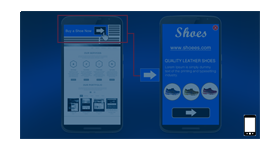
Very much alike the traditional HTML page advertising, publishers create a slot in the AMP web pages. This is where the plugin would identify the inventory and deliver relevant creative with the help of an Ad tag generated by the plugin.
How the plugin works?
- Starting with an AMP page, publisher’s creates a slot on the page to display ads.
- Traditionally, this is done by inserting a snippet of JavaScript, but in AMP, publishers add an <amp-script> tag to their AMP page and starts to deliver in AMP pages.
- When the user loads an AMP page, the <amp-script> tag sends an ad request to the ad network.
- To return an ad to the AMP page, ad networks build an amp-ad implementation.
Compatible Ad formats via AMP
AMPHTML ads are flexible and dynamic, allowing for many creative formats
Image banner
Text banner
HTML banner
HTML5 banner
AMP-iframe is a component that can be used to integrate into an AMP page code that would not normally validate in AMP. amp-iframe are more secure and avoid AMP files.
Also AMP-iframes can’t appear in the top 600 pixels of a page, or within the first 75% of the viewport and this can be achieved with placeholder attribute inside an amp-iframe. amp-iframe must not have same origin as the container.
Supported invocation tags
- AMP Tag
Plugin benefits
• Better user experience will result in higher conversion rates for publishers and advertisers
• AMP Ads are a faster, lighter, and more secure way to advertise on the web
• It is completely safe from any type of Malware.
• Advertisers can ensure a safe user experience and positive brand perception
• A considerable increase in user engagement with the ads
• Faster ads lead to higher view ability and therefore higher click-through rates, which ultimately leads to better ad performance
Frequently Asked Questions
Included with every plugin
- Installation and setup help. We help you install the plugin on your Revive Adserver and confirm that it is working.
- 3 weeks of free support from the day of delivery, covering installation, configuration and any bug in the plugin.
- Your Revive Adserver version. Choose your version in the Product Versions drop-down on this page.
- Licenses to fit your setup. Choose Single Domain, Multi Domain or Source Code in the License drop-down.
Need changes made for your setup? Custom work and consulting are available. Contact us with your requirements.
Common questions
Which Revive Adserver versions does this plugin support?
The supported versions are listed in the Product Versions drop-down on this page. If you run a version that is not listed, contact us before ordering.
What does the free support cover?
For 3 weeks from delivery we help with installation, configuration and any bug in the plugin. Custom development and problems caused by other plugins or your hosting are not part of the free support, but we can quote them separately.
Can you adapt the plugin to my setup?
Yes. Custom work is available. Tell us what you need and we will quote it.