Re-Targeting
Re-Targeting brings back visitors who left without converting. An advertiser's pixel code drops a cookie in the visitor's browser, and the visitor then sees that advertiser's ads on other publisher sites in the same ad network.
What it does
- Visitors who left a product page without buying can be shown the brand again, which focuses spend on people who already showed interest.
- Users who earlier interacted with a banner or ad can be targeted again as well.
- Advertisers gain brand appearance, engagement, conversion and reach to a potential audience, as the plugin lists them.
- The pixel code is invisible to the end user and is pasted by the advertiser into the pages to track.
How it fits your ad stack
A visitor browsing a page with the pixel gets a cookie, and the retargeted ad is served on publisher sites that share the advertiser's ad network or agency. The approach is cookie based, so it depends on the browser accepting the cookie. Cookie-based retargeting usually raises consent questions: teams follow GDPR and CCPA/CPRA, and IAB Europe TCF v2.3 and the IAB Tech Lab Global Privacy Platform carry consent and preference signals through the supply chain. How consent signals are handled is not described, so check that against your own setup.
Full feature details
Re-Targeting is a cookie based technology to target the potential customer to increase the chance of action/conversions effectively. It is a method to server Ads based on User’s Interest in the Ecommerce world.
Re-Targeting is one of the efficient ways to bring back online visitors to make purchase, Register etc which allows advertisers to increase their revenue in short period of time.
If a user browses an online shopping site to buy a watch and if he quit the page without making a Purchase for any reason or for no reason. Advertiser can still bring the lost customer again on track through retargeting the brand to the user.
If the user browses for a watch (abc brand) in the product site (abcwatch.com) or in an ecommerce site a cookie will be placed by the targeter in the user’s browser to keep him in track with the product and if user leaves the site without purchasing it and browses an another site of his own interest (example: citytodaynews.com). then the Advertiser with the help of Re-Targeting plugin can serve the product (abc watch) to the user as Ads on citytodaynews.com website, if citytodaynews.com is a publisher with the same Ad Network / Ad Agency as advertiser and now the possibility of Sale is increased. Ad Network / Ad Creative Retargeting is a way of targeting user who already interacted with the Banner/Ad that served earlier in a product site or other site.
Advantages of installing this plugin:
- Enhanced Brand appearance.
- Greater Engagement.
- Increased Conversion.
- Potential Audience are Targeted.
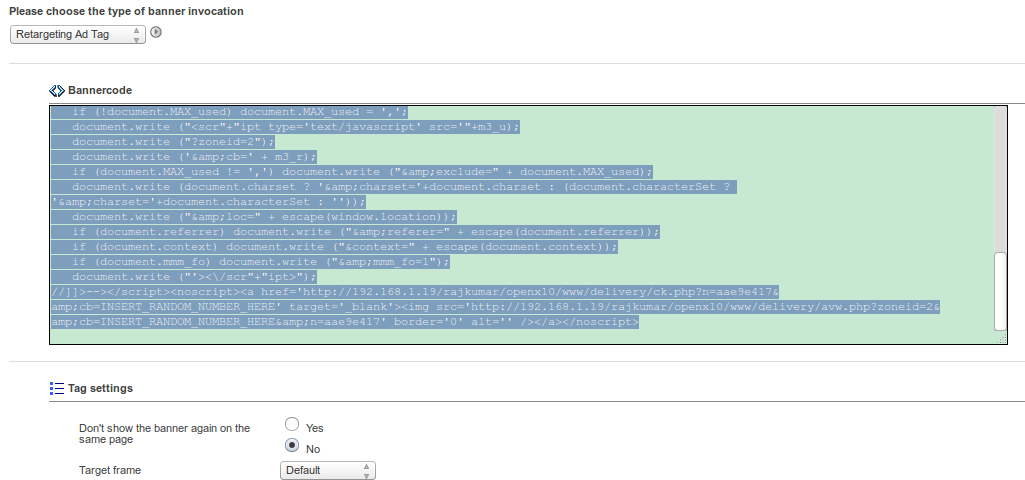
Re-Targeting uses “Pixel” code that is not visible to the end user. Advertisers can paste the pixel code into their web-pages to track down the visitors and their browsing activity. If a visitor visits an advertiser site and browses the page where the pixel code has been pasted, Re-Targeting will drop a cookie in user's browser, thus retargeting the visitor if conversion has not happened.
Frequently Asked Questions
Included with every plugin
- Installation and setup help. We help you install the plugin on your Revive Adserver and confirm that it is working.
- 3 weeks of free support from the day of delivery, covering installation, configuration and any bug in the plugin.
- Your Revive Adserver version. Choose your version in the Product Versions drop-down on this page.
- Licenses to fit your setup. Choose Single Domain, Multi Domain or Source Code in the License drop-down.
Need changes made for your setup? Custom work and consulting are available. Contact us with your requirements.
Common questions
Which Revive Adserver versions does this plugin support?
The supported versions are listed in the Product Versions drop-down on this page. If you run a version that is not listed, contact us before ordering.
What does the free support cover?
For 3 weeks from delivery we help with installation, configuration and any bug in the plugin. Custom development and problems caused by other plugins or your hosting are not part of the free support, but we can quote them separately.
Can you adapt the plugin to my setup?
Yes. Custom work is available. Tell us what you need and we will quote it.