Background Branding Video ads
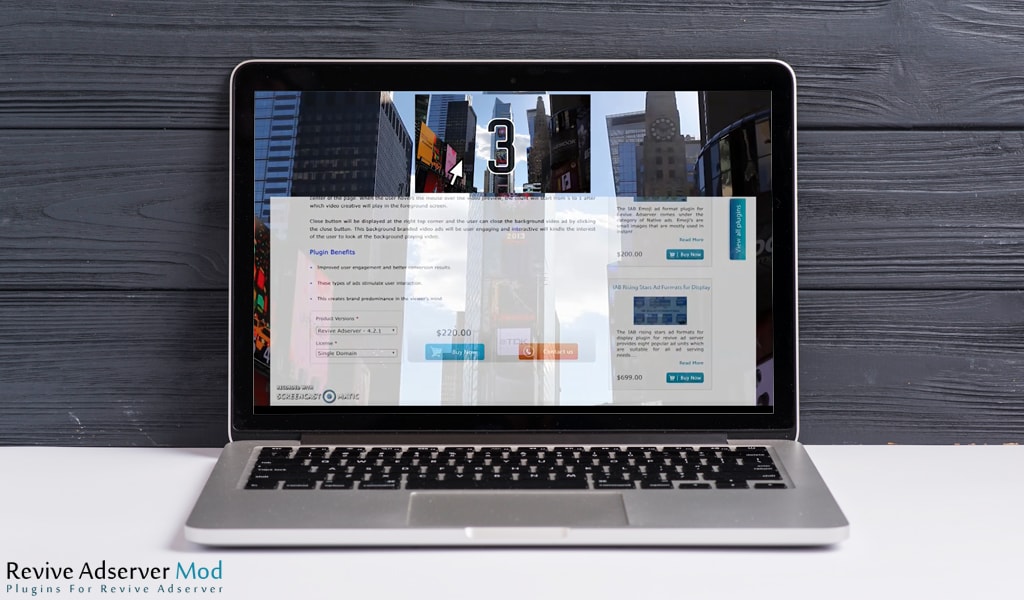
This plugin delivers a branding video that plays translucently behind the page and expands into the full video creative when the user interacts. Publishers and advertisers running brand campaigns get a video placement that does not block site content.
What it does
- Plays the video behind the page content, so the site stays readable while the brand stays visible.
- Starts the full video in the foreground after the user hovers over the preview and a count from 5 to 1 runs, so engagement is the viewer's choice.
- Keeps a close button in the top right corner, and the user can close the ad at any point, which limits annoyance.
- Works on mobile, tablets and desktop, so one campaign covers the main screens.
- Tracks impressions and click events through Revive Adserver's standard reporting, according to the product FAQ.
How it fits your ad stack
The preview appears at the top centre of the page when it loads, and the video starts to play translucently behind the content. Page-takeover style video formats are best judged against the Better Ads Standards from the Coalition for Better Ads, which flag experiences such as auto-playing video with sound. Teams that sell brand video usually also agree a viewability definition with buyers, such as the MRC video viewability standard.
Full feature details
Background branding video ads plugin for revive adserver, an ideal solution for delivering video creatives across devices without causing any disturbance to the audience browsing experience. Typically they will be playing in the foreground within the opacity limit, allowing the background of the site to be practically visible to the user. When the user interacts with the video it will be expanded to full screen delivering the actual video creative.
After the interaction, the video will be moved to the foreground of the site and at any point of the video, the user can close it. The plugin is designed to provide a close button on the screen, whenever the user feels to discontinue the video it can be done.
The plugin delivers video ad format that is compactable with mobile, tablets and desktops. When the user loads the site page, the video will start to play in background translucently as well the preview will appear on the top center of the page. When the user hovers the mouse over the video preview, the count will start from 5 to 1 after which video creative will play in the foreground screen.
Close button will be displayed at the right top corner and the user can close the background video ad by clicking the close button. This background branded video ads will be user engaging and interactive will kindle the interest of the user to look at the background playing video.
Plugin Benefits
• Improved user engagement and better conversion results.
• These types of ads stimulate user interaction.
• This creates brand predominance in the viewer’s mind.
Frequently Asked Questions
Included with every plugin
- Installation and setup help. We help you install the plugin on your Revive Adserver and confirm that it is working.
- 3 weeks of free support from the day of delivery, covering installation, configuration and any bug in the plugin.
- Your Revive Adserver version. Choose your version in the Product Versions drop-down on this page.
- Licenses to fit your setup. Choose Single Domain, Multi Domain or Source Code in the License drop-down.
Need changes made for your setup? Custom work and consulting are available. Contact us with your requirements.
Common questions
Which Revive Adserver versions does this plugin support?
The supported versions are listed in the Product Versions drop-down on this page. If you run a version that is not listed, contact us before ordering.
What does the free support cover?
For 3 weeks from delivery we help with installation, configuration and any bug in the plugin. Custom development and problems caused by other plugins or your hosting are not part of the free support, but we can quote them separately.
Can you adapt the plugin to my setup?
Yes. Custom work is available. Tell us what you need and we will quote it.