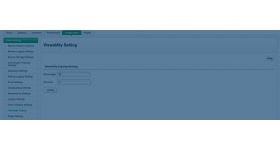
The deactivate advertiser plugin for revive ad server allows the admin to deactivate any particular advertiser present in the ad network. The deactivated advertiser can be activated again in future when an admin activates it. The plugin is more beneficial to the admin as he can deactivate all non-active advertisers in ad server and can optimize the ad network. The advertisers can be deactivated by clicking the deactivate option present in the admin panel, once the deactivate option has been selected the particular advertiser will be removed from advertiser list.
The deactivated advertiser will be added again if admin activates the particular advertiser, the plugin helps the admin to manage the advertisers present in the ad server.
Benefits of this plugin:
The admin can deactivate any particular advertiser in a single click.
The plugin provides both activate and deactivate options to the user, with the help of it the advertiser can be added or removed at any time.
Frequently Asked Questions
How can I disable an advertiser account when necessary?
+
The plugin allows administrators to deactivate advertisers quickly. Account management becomes more efficient.
Can inactive advertisers be prevented from serving ads?
+
Yes. Deactivated accounts stop participating in delivery. Inventory quality can be maintained.
Is advertiser deactivation reversible?
+
Yes. Accounts can typically be reactivated when needed. Operational flexibility is preserved.
Does this help maintain platform compliance?
+
Yes. Problematic or inactive accounts can be managed easily. Administrative control is improved.
What are the benefits of advertiser deactivation tools?
+
Better account management and policy enforcement. Advertising operations remain organized.