Create Image And Html Banners
Create Image And Html Banners adds editor tools to Revive Adserver so banners can be built without writing HTML scripts. Advertisers and ad-ops teams produce image and HTML banners inside the ad server in minutes.
What it does
- Editor tools replace hand-written HTML, which lowers the skill needed to produce a banner.
- Both image and HTML banners can be built, and the finished banners can go to any publisher site the user chooses.
- HTML elements and text fields are converted into editor instances, which is how the tools take over the markup work.
- Other banner types such as web, SQL and external banners are mentioned in a separate section, so check that section for what they cover.
How it fits your ad stack
The editor works inside Revive Adserver as part of banner creation. Display creatives are usually built to the common IAB sizes, such as the 300x250 medium rectangle and the 728x90 leaderboard, and an editor does not remove the need to check size and file weight against what your publishers accept.
Full feature details
“Now create your banners without the help of html scripts”
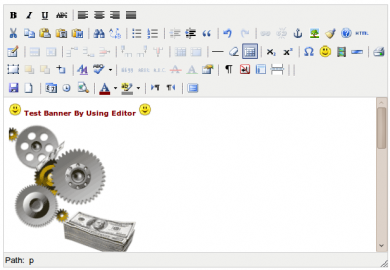
The create image and html banners plugin for revive ad server allows the user to create his own banners for the advertisement. The plugin has a number of editor tool that makes the banner creation simpler and faster. The editor tools allow the users to build the banners without the help of html scripts, the banners built by the tools can be published in any desired publisher’s site.
The plugin has a tendency to convert the html elements and text fields into editor instances, so with the help of it the user can build image and html banners effectively.
Benefits of this plugin
- The advertiser can create his desired banners easily without using html scripts.
- The plugin builds both image and html banners within minutes.
- The plugin will create other banner types like the web, SQL and external banners in a separate section called text below the image.
Frequently Asked Questions
Included with every plugin
- Installation and setup help. We help you install the plugin on your Revive Adserver and confirm that it is working.
- 3 weeks of free support from the day of delivery, covering installation, configuration and any bug in the plugin.
- Your Revive Adserver version. Choose your version in the Product Versions drop-down on this page.
- Licenses to fit your setup. Choose Single Domain, Multi Domain or Source Code in the License drop-down.
Need changes made for your setup? Custom work and consulting are available. Contact us with your requirements.
Common questions
Which Revive Adserver versions does this plugin support?
The supported versions are listed in the Product Versions drop-down on this page. If you run a version that is not listed, contact us before ordering.
What does the free support cover?
For 3 weeks from delivery we help with installation, configuration and any bug in the plugin. Custom development and problems caused by other plugins or your hosting are not part of the free support, but we can quote them separately.
Can you adapt the plugin to my setup?
Yes. Custom work is available. Tell us what you need and we will quote it.