Banner Size Limitation
Banner Size Limitation lets the admin cap the file size of banners that advertisers upload. Ad networks keep pages quick for publishers' visitors by blocking oversized creatives at the door.
What it does
- The admin sets a maximum in kb, so the limit reflects what your network considers acceptable.
- A banner over the limit is rejected with an error message, so the advertiser knows right away why it did not upload.
- The description notes that stock Revive Adserver accepts banners above 100 kb, and that heavy files make the invocation code slow to display on the publisher's site. Capping size addresses that load time.
How it fits your ad stack
Set it as admin: My Account, Global Settings, then the Banner Storage Setting option, where you enter the file size.
Full feature details
The banner size limitation plugin for revive ad server is used to provide file size restriction to the banner uploaded by the advertiser.
In existing revive ad server the advertiser can upload the banners above 100 kb file size but when such banners have been uploaded in the ad network the invocation code will consume more time to display it in the publisher’s site. But by using this plugin the user can limit the size of the banners uploaded in the ad network. The limitation of file size can be provided by the user as per his requirement.
The maximum file size should be provided in kb format, and if the banner size exceeds the limit then the plugin will restrict it by showing an error message.
How to use this plugin:
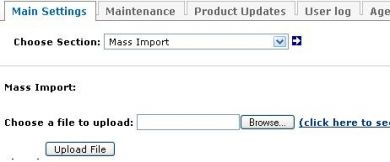
- The user has to login as admin and he has to choose my account tab.
- In my account tab, the admin can find the global settings tab; by selecting it the admin can find the drop-down list box.
- In the drop down box the banner storage setting option will be present; this option is responsible for limiting the file size.
- Enter the required file size by clicking that option.
Frequently Asked Questions
Included with every plugin
- Installation and setup help. We help you install the plugin on your Revive Adserver and confirm that it is working.
- 3 weeks of free support from the day of delivery, covering installation, configuration and any bug in the plugin.
- Your Revive Adserver version. Choose your version in the Product Versions drop-down on this page.
- Licenses to fit your setup. Choose Single Domain, Multi Domain or Source Code in the License drop-down.
Need changes made for your setup? Custom work and consulting are available. Contact us with your requirements.
Common questions
Which Revive Adserver versions does this plugin support?
The supported versions are listed in the Product Versions drop-down on this page. If you run a version that is not listed, contact us before ordering.
What does the free support cover?
For 3 weeks from delivery we help with installation, configuration and any bug in the plugin. Custom development and problems caused by other plugins or your hosting are not part of the free support, but we can quote them separately.
Can you adapt the plugin to my setup?
Yes. Custom work is available. Tell us what you need and we will quote it.