Universal Retargeting

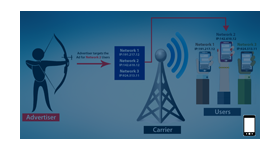
Universal Retargeting adds a campaign retargeting type, Act as Universe Campaign, to Revive Adserver. When a visitor clicks a banner in that campaign, a cookie is stored so the campaign can be delivered to the same visitor again.
What it does
- Customers who clicked are reached again when they come back online, which extends the value of every click.
- The cookie is stored only when the visitor clicks the advertiser's banner, which the text describes as a way to bring genuine traffic and the right audience.
- The advertiser sets the cookie expiration time, or chooses not to expire, in which case the cookie stays until the visitor removes it.
- Statistical reports on the generated traffic can include clicks, impressions and CTR.
How it fits your ad stack
The retargeting type is chosen per campaign in Revive Adserver. As with any cookie based approach, review how consent is collected for your audience; the IAB Tech Lab Global Privacy Platform is a transport layer for carrying consent and preference signals through the supply chain.
Full feature details
Universal retargeting plugin for revive adserver is used to generate the ad traffic in an advertising campaign. Installing this plugin allows the users to set the retargeting type as "Act as Universe Campaign", for the campaign which the user wants to deliver the ads to the audience.
If the visitor clicks any of the delivered banners present in the campaign, the plugin will create a cookie on visitor's browser. The cookie will get stored in the browser and deliver the campaign when the customer comes online. The cookie is stored only when the user clicks the advertiser banner displayed on the website.
This methodology provides genuine traffic to the advertiser campaign and helps to reach the right audience. The statistical report can be extracted for the generated traffic, the report includes number of clicks, impressions, CTR, etc based on the requirement.

The cookie technique will enable the users to retarget the customers and widen the brand popularity. The advertiser can define the expiration time for the campaign or they can set it as ‘not to expire’. The cookie which is stored in the browser will be removed when the expiration time has been reached. The ‘not to expire’ option will not delete the cookie in the customer browser until they perform it manually.
Benefits of the plugin
- The user can retarget their customers easily.
- The advertiser can set their desired cookie expiration time and target the customers until they delete the cookie manually.
Frequently Asked Questions
Included with every plugin
- Installation and setup help. We help you install the plugin on your Revive Adserver and confirm that it is working.
- 3 weeks of free support from the day of delivery, covering installation, configuration and any bug in the plugin.
- Your Revive Adserver version. Choose your version in the Product Versions drop-down on this page.
- Licenses to fit your setup. Choose Single Domain, Multi Domain or Source Code in the License drop-down.
Need changes made for your setup? Custom work and consulting are available. Contact us with your requirements.
Common questions
Which Revive Adserver versions does this plugin support?
The supported versions are listed in the Product Versions drop-down on this page. If you run a version that is not listed, contact us before ordering.
What does the free support cover?
For 3 weeks from delivery we help with installation, configuration and any bug in the plugin. Custom development and problems caused by other plugins or your hosting are not part of the free support, but we can quote them separately.
Can you adapt the plugin to my setup?
Yes. Custom work is available. Tell us what you need and we will quote it.