Inpage video ad with HTML5 player

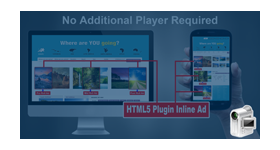
This plugin delivers in-page video ads with an HTML5 player, placed within the publisher's content on desktop and mobile. The video unfolds between content as the visitor scrolls, rather than loading with the page.
What it does
- The video does not show by default on page load; it appears between content as the page is scrolled, which keeps it from competing with the page's first view.
- A pre-roll video ad plays inside the website content, on display and mobile devices.
- Playback pauses when the ad is mostly out of view and resumes when it is visible again, so ads play when people can see them.
- Once played to the end, the ad replays only when the page loads again.
- All tracked video events are reported in video statistics and can be exported.
How it fits your ad stack
The description states support for IAB VAST 2.0. VAST 4.x is the current line, so check your buyers' requirements. Video viewability is commonly judged against the MRC definition, and because in-page video can start without a click, the Coalition for Better Ads standards on auto-playing video with sound are also worth reviewing.
Full feature details
InPage video ad with HTML5 player plugin for Revive Adserver delivers inpage video ads along with the publisher site’s content.
Inpage video ad supports both display and mobile devices. The web page will not show the In-page video by default when loaded. The Video will unfold between the content when the user scrolls the Web page content. The user-friendly format will play the pre-roll video ad in the website content.
If the user scrolls down the web page and if the video ad is 80% out of the screen visibility area, the ad will be on pause state and resumes play when the page is scrolled and the video is visible on the screen.
Once the video ad has played until the end, the ad will replay when the web page loads again.
Benefits
- Inpage video ad supports IAB VAST 2.0
- Delivers inpage ads on display and mobile devices
- With the help of the plugin you can report
- All tracking events in video statistics
- Export to video statistics
Frequently Asked Questions
Included with every plugin
- Installation and setup help. We help you install the plugin on your Revive Adserver and confirm that it is working.
- 3 weeks of free support from the day of delivery, covering installation, configuration and any bug in the plugin.
- Your Revive Adserver version. Choose your version in the Product Versions drop-down on this page.
- Licenses to fit your setup. Choose Single Domain, Multi Domain or Source Code in the License drop-down.
Need changes made for your setup? Custom work and consulting are available. Contact us with your requirements.
Common questions
Which Revive Adserver versions does this plugin support?
The supported versions are listed in the Product Versions drop-down on this page. If you run a version that is not listed, contact us before ordering.
What does the free support cover?
For 3 weeks from delivery we help with installation, configuration and any bug in the plugin. Custom development and problems caused by other plugins or your hosting are not part of the free support, but we can quote them separately.
Can you adapt the plugin to my setup?
Yes. Custom work is available. Tell us what you need and we will quote it.