Custom AdRequest REST API for Mobile SDK
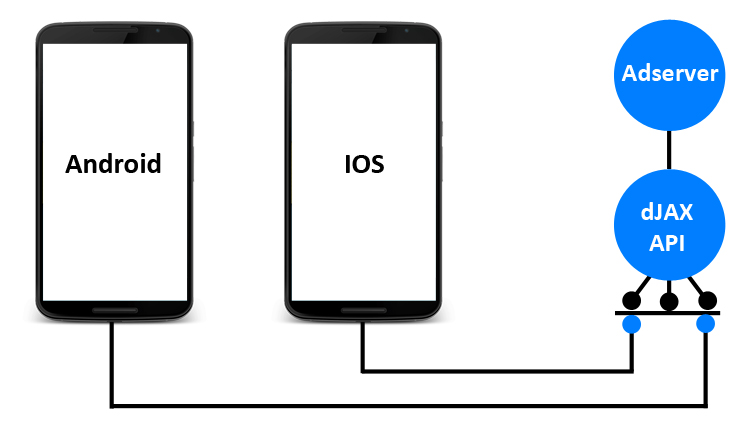
This plugin adds a REST API between your mobile app SDK and Revive Adserver: the SDK sends an ad request with a zone ID and targeting parameters, and the API returns matching ads, with video ads delivered as a VAST response. Ad networks and app teams with their own SDK keep Revive Adserver as the decisioning backend.
What it does
- Acts as middleware, so an app can request ads through its own SDK without needing the default Revive delivery path.
- Accepts targeting inputs such as user IP, device model, package name, OS version and location, so requests can be matched to the right campaigns by device and place.
- Returns banner details in JSON, including banner URL, title, description, size, click URL and impression tracking URL, so the app has what it needs to render and count the ad.
- Delivers video ads as a VAST response with linear and non-linear ads and video event tracking, so one endpoint covers banner and video demand.
How it fits your ad stack
Every request carries a zone ID, so the zones you set up in Revive Adserver remain the unit of inventory. The video response is described as VAST 2.0, while the current VAST family is 4.x, so check whether newer features matter to your players. VAST is the IAB Tech Lab standard that tells a video player which ad to play and how, and in-app inventory is normally declared through app-ads.txt so buyers can verify who is authorised to sell it.
Full feature details
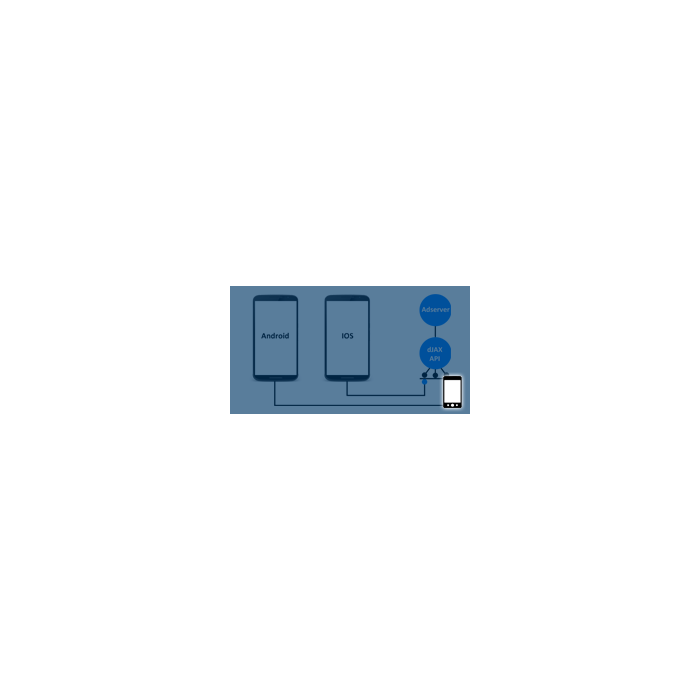
Custom AdRequest REST API for Mobile SDK plugin is used to make better communication between App and Revive Ad server. You can use your own SDK to get ads from Revive Ad server using this API. dJAX API like middleware between Revive Ad server and SDKs.
Following Device based Targeting get supported
- User IP [Sample: GT-I9300I]
- deviceModel [Sample: GT-I9300I]
- PackageName [Sample: android.adro.ads]
- osVersion [Sample: 4.2]
- location [Sample: 35.6970472,51.0696206]
Ad Request send from SDK to revive ad server using dJAX API along with zone id and targeting parameters mentioned.API process the ad request and match the targeting criteria and return the valid ads in JSON response.
Banner Response format:
- Banner URL
- Banner Text/Title
- Banner Description
- Banner Size
- Click URL
- Impression tracking url
- Message described in Banner level
- Output Response
Video ads:
- Video ads return in VAST Response
- Supports for Vast 2.0
- Video event tracking reported
- Linear & Non linear ads supported
Frequently Asked Questions
Included with every plugin
- Installation and setup help. We help you install the plugin on your Revive Adserver and confirm that it is working.
- 3 weeks of free support from the day of delivery, covering installation, configuration and any bug in the plugin.
- Your Revive Adserver version. Choose your version in the Product Versions drop-down on this page.
- Licenses to fit your setup. Choose Single Domain, Multi Domain or Source Code in the License drop-down.
Need changes made for your setup? Custom work and consulting are available. Contact us with your requirements.
Common questions
Which Revive Adserver versions does this plugin support?
The supported versions are listed in the Product Versions drop-down on this page. If you run a version that is not listed, contact us before ordering.
What does the free support cover?
For 3 weeks from delivery we help with installation, configuration and any bug in the plugin. Custom development and problems caused by other plugins or your hosting are not part of the free support, but we can quote them separately.
Can you adapt the plugin to my setup?
Yes. Custom work is available. Tell us what you need and we will quote it.