Widget Ads
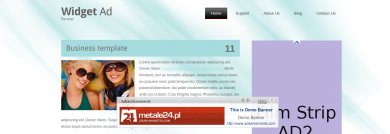
The Widget Ads plugin displays an ad in the center of the screen when the visitor has been idle on the page. Publishers on Revive Adserver get a timed, central placement that appears at a different moment from page load.
What it does
- The ad appears when the user stays idle, so it reaches visitors who have paused instead of interrupting someone who is mid-read.
- The banner position stays constant while the page scrolls, and visitors can still interact with the page content.
- Both IAB standard sizes and custom sizes are supported, so existing creatives can be reused.
How it fits your ad stack
- A special invocation code is provided to the publisher to display the ads.
- Listed formats are png, jpg and gif.
- The description does not say whether the ad has a close button or how long the idle trigger lasts, so confirm both before launch. A centered ad is the kind of experience the Coalition for Better Ads reviews in its Better Ads Standards, which flag pop-ups and auto-playing video with sound as falling below consumer expectations.
Full feature details
The widget ads plugin for revive ad server displays the ads in the middle of the website and in the centre of the screen. The widget ads will appear on the screen when the user stays idle on the publisher site.
The position of the ad banner will remain constant when the user scrolls the web page, and it will allow the user to interact with the web content. The plugin can serve both IAB standard sizes and custom sizes; it supports ad formats like .png, .jpg, .gif and .swf. The plugin provides a special invocation code to the publisher to display the ads.
Benefits of this plugin
- The plugin increases the number of clicks and impressions.
- The plugin supports all versions of revive and openx ad server.
Frequently Asked Questions
Included with every plugin
- Installation and setup help. We help you install the plugin on your Revive Adserver and confirm that it is working.
- 3 weeks of free support from the day of delivery, covering installation, configuration and any bug in the plugin.
- Your Revive Adserver version. Choose your version in the Product Versions drop-down on this page.
- Licenses to fit your setup. Choose Single Domain, Multi Domain or Source Code in the License drop-down.
Need changes made for your setup? Custom work and consulting are available. Contact us with your requirements.
Common questions
Which Revive Adserver versions does this plugin support?
The supported versions are listed in the Product Versions drop-down on this page. If you run a version that is not listed, contact us before ordering.
What does the free support cover?
For 3 weeks from delivery we help with installation, configuration and any bug in the plugin. Custom development and problems caused by other plugins or your hosting are not part of the free support, but we can quote them separately.
Can you adapt the plugin to my setup?
Yes. Custom work is available. Tell us what you need and we will quote it.