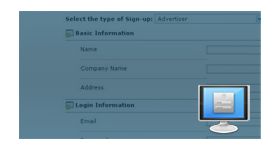
Pan - Campaign Notices
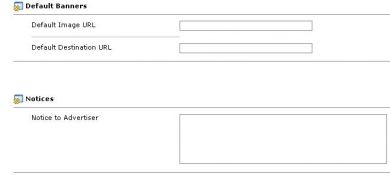
Pan - Campaign Notices lets the admin send advertisers notices about the limits of a specific campaign. Advertisers learn the limits before they use them.
What it does
- The admin sends a notice to a chosen advertiser whenever needed, so limits are communicated on time.
- The advertiser sees the notice on logging in to their account.
- Knowing the limits in advance helps the advertiser plan before entering the campaign.
How it fits your ad stack
Notices are sent within the network, inside Revive Adserver, from the admin to an advertiser.
Full feature details
“Now admin can inform the campaign limitation to advertisers when required”
The pan- campaign notices plugin for revive ad server is used to send notifications to advertisers about their limits. The plugin will inform the advertiser about the limit of a particular campaign, the notices can be sent within the network. The plugin allows admin to send the notice messages to the particular advertiser regarding the campaign limitation.
The notices can be seen by advertiser at once they have a login in their account, the limits will be informed priorly so that the advertiser can aware of it before he use it. The plugin will benefit both advertiser and admin because the admin can inform about the limit to the advertiser before he uses it. And the advertiser can able to know his limits before he enters into the ad campaign.
Advantages
- The admin can able to send timely notices to advertiser whenever he requires.
- The campaign limitations will reach the advertiser before he visits it.
- The plugin provides faster access and works in all revive and OpenX ad server.
Frequently Asked Questions
Included with every plugin
- Installation and setup help. We help you install the plugin on your Revive Adserver and confirm that it is working.
- 3 weeks of free support from the day of delivery, covering installation, configuration and any bug in the plugin.
- Your Revive Adserver version. Choose your version in the Product Versions drop-down on this page.
- Licenses to fit your setup. Choose Single Domain, Multi Domain or Source Code in the License drop-down.
Need changes made for your setup? Custom work and consulting are available. Contact us with your requirements.
Common questions
Which Revive Adserver versions does this plugin support?
The supported versions are listed in the Product Versions drop-down on this page. If you run a version that is not listed, contact us before ordering.
What does the free support cover?
For 3 weeks from delivery we help with installation, configuration and any bug in the plugin. Custom development and problems caused by other plugins or your hosting are not part of the free support, but we can quote them separately.
Can you adapt the plugin to my setup?
Yes. Custom work is available. Tell us what you need and we will quote it.