In-Store Retail Media and DOOH Screen Manager for Revive Adserver
In-Store Retail Media and DOOH Screen Manager lets you organise screens into groups, schedule playlists by day-part and log proof of play for each screen. Retailers and screen owners can show brands what played, where and when, and link it to sales data.
What it does
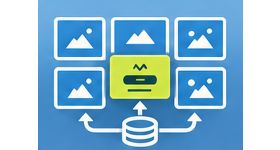
- Screen groups and playlists let you manage many screens as sets rather than one by one.
- Day-part schedules and loop lengths control what plays at which time and for how long, so the screen mix follows the trading day.
- Proof-of-play logs for each screen record what was shown, which gives brands evidence of delivery.
- Venue and location fields describe where each screen is, so campaigns and reports can be read by site.
- Sales-linked reporting uses point-of-sale data that you import, so screen activity can be read next to sales.
- A content approval workflow for brands lets a brand review creative before it goes on screen.
How it fits your ad stack
OpenRTB 2.6 includes support for digital out-of-home (DOOH), and IAB publishes guidance on retail media, which gives context for how in-store screens are discussed with buyers. The seed describes screen management, proof of play and reporting inside Revive Adserver, and does not describe programmatic buying for screens. Point-of-sale data comes from your own systems by import.
Full feature details
- Screen groups.
- Playlists.
- Day-part schedules.
- Loop lengths.
- Proof-of-play logs for each screen.
- Venue and location fields.
- Sales-linked reporting by importing point-of-sale data.
- Content approval workflow for brands.
Requirements
- A running Revive Adserver installation of a version listed in the Product Versions drop-down on this page.
- Screens and players that can show content from Revive Adserver; player details confirmed at order.
- Point-of-sale data in an importable form, if you want sales-linked reports.
- Further technical details confirmed at order.
Frequently asked questions
Does the plugin show proof that an ad played?
Yes. It keeps proof-of-play logs for each screen.
How do I connect sales to screen activity?
You import point-of-sale data, and the plugin uses it for sales-linked reporting.
Can brands approve their creative first?
Yes. A content approval workflow for brands is part of the plugin.
Included with every plugin
- Installation and setup help. We help you install the plugin on your Revive Adserver and confirm that it is working.
- 3 weeks of free support from the day of delivery, covering installation, configuration and any bug in the plugin.
- Your Revive Adserver version. Choose your version in the Product Versions drop-down on this page.
- Licenses to fit your setup. Choose Single Domain, Multi Domain or Source Code in the License drop-down.
Need changes made for your setup? Custom work and consulting are available. Contact us with your requirements.
Common questions
Which Revive Adserver versions does this plugin support?
The supported versions are listed in the Product Versions drop-down on this page. If you run a version that is not listed, contact us before ordering.
What does the free support cover?
For 3 weeks from delivery we help with installation, configuration and any bug in the plugin. Custom development and problems caused by other plugins or your hosting are not part of the free support, but we can quote them separately.
Can you adapt the plugin to my setup?
Yes. Custom work is available. Tell us what you need and we will quote it.