AI Banner Ad Generator Plugin for Revive Adserver
The AI Banner Ad Generator turns simple, plain-English text descriptions into professionally designed, ready-to-use display banners across all standard IAB sizes in seconds.
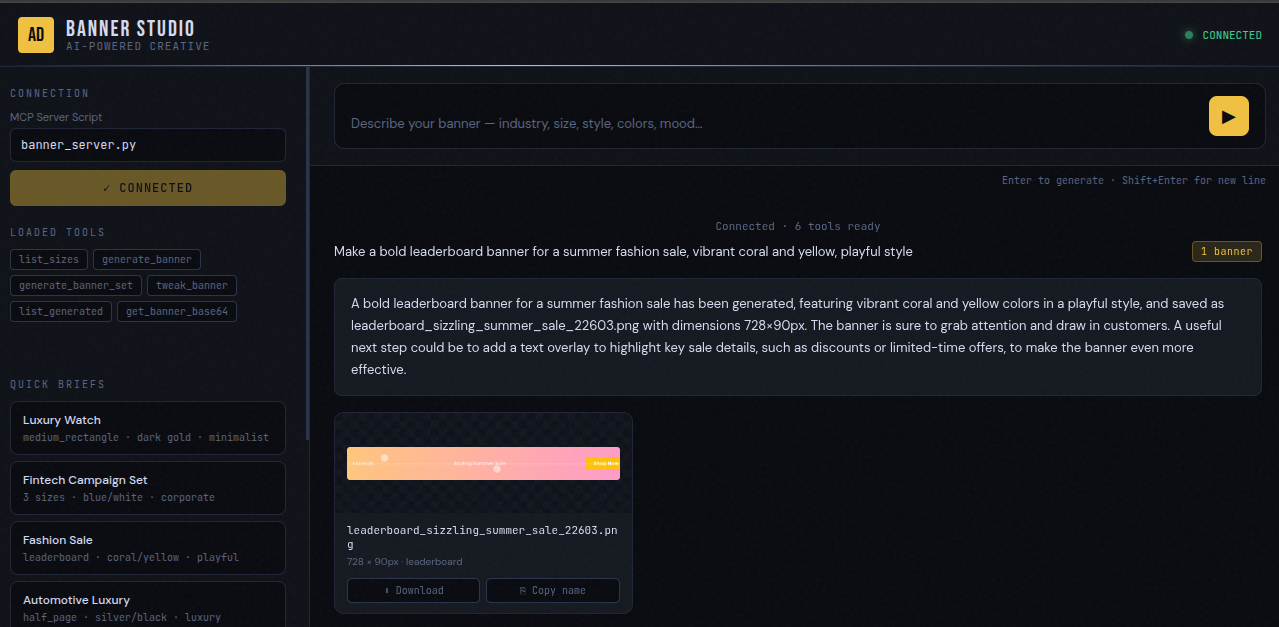
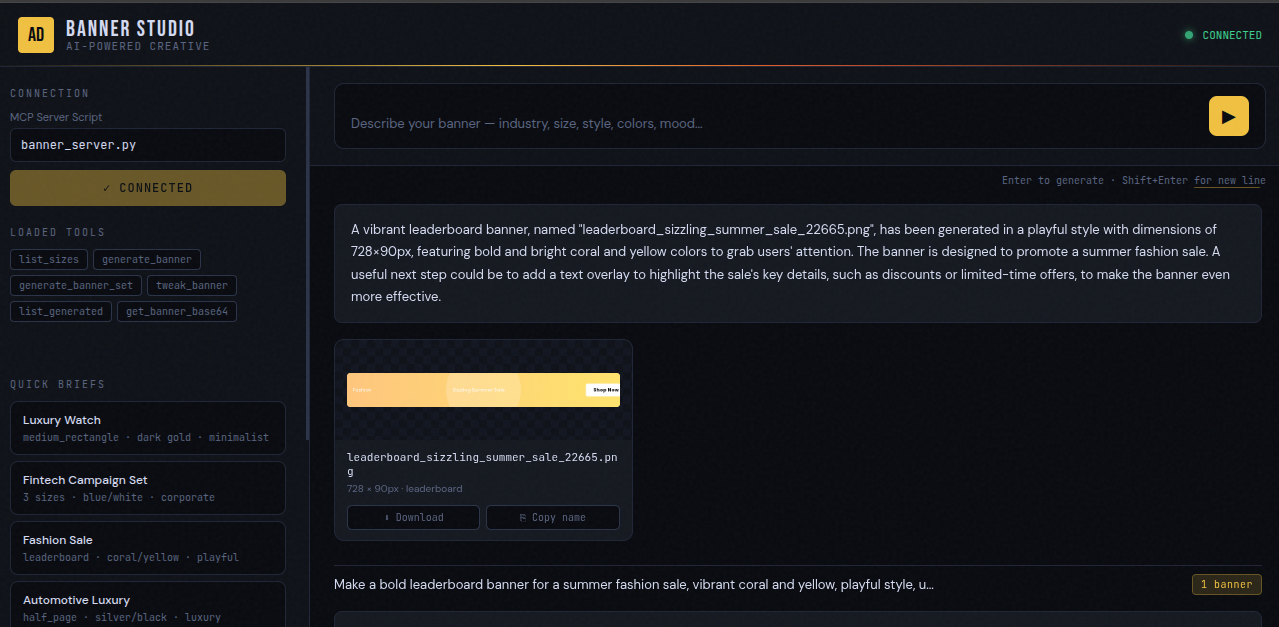
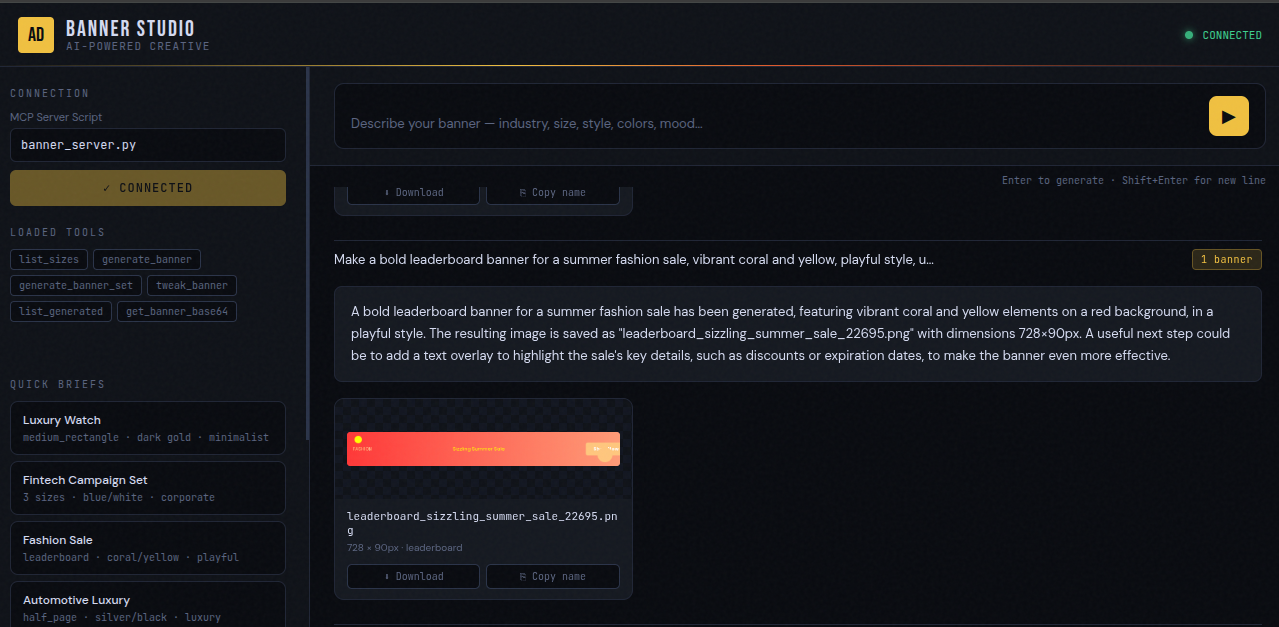
The AI Banner Ad Generator turns a simple, plain-English description of a campaign into a ready-to-use, professionally designed banner ad in seconds, not days. Describe the industry, message, brand colors, and style, and the tool designs and delivers a polished banner image sized exactly to industry-standard ad dimensions, ready to upload to any ad platform.
In short: tell it what you want, and get a real, downloadable ad banner back.
The Problem It Solves
Marketing teams, small businesses, and agencies often need to produce a large volume of ad creative quickly — testing different messages, looks, and sizes — without always having in-house design resources on demand. This plugin closes that gap directly inside your Revive Adserver workflow.
What You Can Ask For
A request is described the same way you'd brief a designer:
- Industry / brand — e.g. “luxury watches,” “fintech app,” “summer fashion sale”
- Headline — the main message
- Supporting text (optional) — a tagline or extra detail
- Call-to-action — e.g. “Shop Now,” “Get Started,” “Learn More”
- Style — modern, luxury, bold, minimalist, playful, or corporate
- Colors — e.g. “dark gold and black,” “vibrant coral and yellow,” “navy blue”
- Size — a single standard ad size, or several at once for a full campaign
Example requests:
- “Make a bold leaderboard banner for a summer fashion sale, coral and yellow.”
- “Generate a medium rectangle ad for a fintech app, navy blue, corporate style.”
- “Create a full set of banners for an automotive brand, dark luxury look.”
- “Change the call-to-action button on that last banner to red.”
How It Works
- Describe the Ad — you describe the banner you want in a normal sentence: industry, message, style, color, and size. No forms or design jargon required.
- Tool Designs It — the tool interprets the request and designs the banner, choosing layout, colors, fonts, and visual details appropriate to the brand and the exact ad size requested.
- Banner Is Rendered — the design is rendered at the exact pixel dimensions required for the chosen ad placement, ready to use without any resizing.
- You Receive the Finished Banner — a finished, polished banner image is delivered back, ready to download and upload directly to an ad platform.
- Request Changes — describe the change you want and a revised version is produced right away, without starting over.
- Generate a Full Campaign — request a full set of ad sizes from one single brief; every size stays visually consistent with the same message, colors, and style.
Supported Ad Sizes
| Ad Size | Best Used For |
|---|---|
| Leaderboard (728×90) | Top-of-page banners on desktop websites |
| Medium Rectangle (300×250) | The most common, versatile in-content ad slot |
| Wide Skyscraper (160×600) | Tall side-of-page placements |
| Half Page (300×600) | Large, high-impact side placements |
| Billboard (970×250) | Premium, high-visibility top placements |
| Mobile Banner (320×50) | Small banners on phone screens |
| Large Mobile Banner (320×100) | Slightly larger mobile placements |
| Square (250×250) | Flexible square ad slots |
| Small Rectangle (300×100) | Compact in-content placements |
| Skyscraper (120×600) | Narrow, tall side placements |
Key Benefits
- Finished banners in seconds — no design software or expertise needed, and no waiting on a designer or creative team
- Exact industry-standard pixel dimensions — every banner is rendered to the precise size required for its placement, so there's no manual resizing
- Full campaign sets from one brief — generate an entire range of ad sizes in a single request, all staying visually consistent with the same message, colors, and style
- Instant revisions — describe the change you want (e.g. “make the CTA red”) and get a redone version immediately, without starting over or opening a new design ticket
- No design skills required — a normal sentence is the only input needed; no forms, templates, or design jargon
- Always returns a usable result — even if a request can't be matched exactly, the tool still returns a polished, usable banner rather than an error
Included with every plugin
- Installation and setup help. We help you install the plugin on your Revive Adserver and confirm that it is working.
- 3 weeks of free support from the day of delivery, covering installation, configuration and any bug in the plugin.
- Your Revive Adserver version. Choose your version in the Product Versions drop-down on this page.
- Licenses to fit your setup. Choose Single Domain, Multi Domain or Source Code in the License drop-down.
Need changes made for your setup? Custom work and consulting are available. Contact us with your requirements.
Common questions
Which Revive Adserver versions does this plugin support?
The supported versions are listed in the Product Versions drop-down on this page. If you run a version that is not listed, contact us before ordering.
What does the free support cover?
For 3 weeks from delivery we help with installation, configuration and any bug in the plugin. Custom development and problems caused by other plugins or your hosting are not part of the free support, but we can quote them separately.
Can you adapt the plugin to my setup?
Yes. Custom work is available. Tell us what you need and we will quote it.